The Real Reason Checkout Lines Slow Down: What a Honeywell 1952GSR Scanner Actually Fixes
Three billing counters. One Honeywell 1952GSR scanner changed what a Lajpat Nagar apparel retailer thought was wrong with its checkout line.
For four months, the store manager treated slow billing as a staffing problem. New cashiers were told to work faster. Two senior staff were pulled from the floor to retrain the counter team on the point of sale software, on the theory that unfamiliarity with the system was the real drag. Weekly huddles covered scanning technique, bagging speed, and how to greet a customer without losing pace. None of it moved the average transaction time by more than a few seconds.
The retailer had misdiagnosed the problem from the start. It was not a training gap. It was a wired barcode scanner reaching the end of its working life, struggling with faded tags, curled labels, and the damaged barcodes that show up on returned or re-tagged apparel. Every misread forced a cashier to key in the SKU manually, and every manual entry added the delay that management had been trying to train away.
The Failed Attempt Before the Honeywell 1952GSR Scanner Conversation Started
Before anyone looked at the scanner, the store tried a second wired unit at the busiest counter, assuming volume was the constraint rather than scan accuracy. It helped for exactly one week. The new scanner had the same limitation as the old one: a fixed-position laser reader that needed a barcode presented at close range and at a precise angle. Curled tags on folded garments, and any label creased from handling, still needed two or three attempts before a clean read registered. Cashiers adapted by typing codes manually whenever a scan failed twice, which quietly became the new normal at every counter in the store.
Where the Diagnosis Changed
The actual audit happened almost by accident, when a visiting operations consultant timed individual scans rather than full transactions. The data showed each failed scan added between four and seven seconds, and roughly one in six items needed a second or third attempt. Multiplied across a Saturday footfall of 400-plus customers per outlet, that gap alone accounted for more lost counter time than every training session combined.
Why the Honeywell 1952GSR Scanner Solved What Retraining Could Not
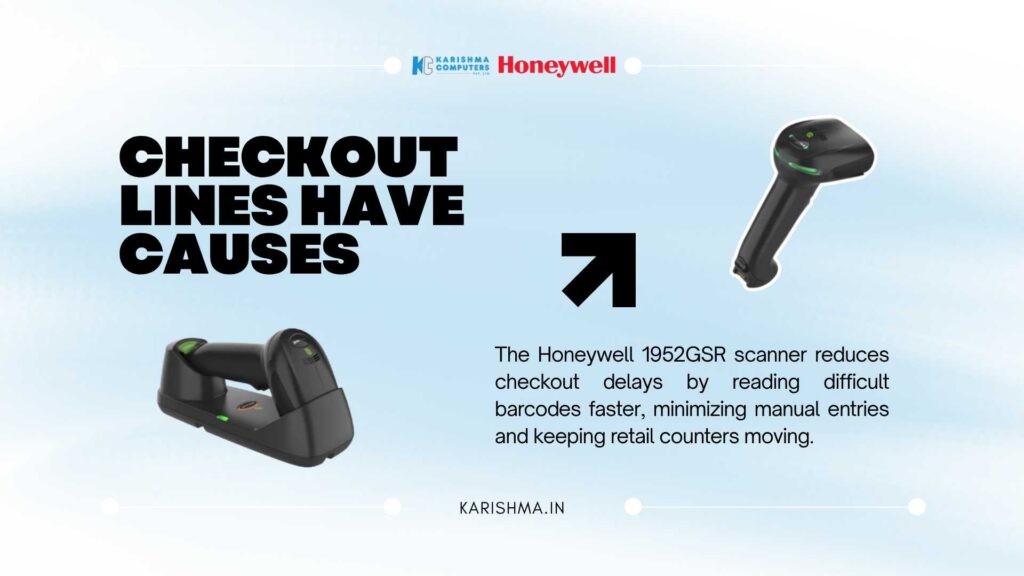
This is where the Honeywell 1952GSR scanner entered the conversation, not as an upgrade for its own sake but as the correct response to a correctly identified problem. The Xenon XP 1952g series is built as a 2D area imager, which reads damaged, creased, and poor-contrast barcodes that a standard laser scanner rejects outright. Its horizontal 48-degree and vertical 30-degree scan angle tolerates the slight tilt of a barcode on a folded shirt or a hanging tag, which removes the repeated re-presentation that had been costing seconds at every counter.
Durability was the second consideration. Retail counters in Nehru Place and Rajouri Garden see scanners dropped, knocked off counters by trailing cables, and handled by multiple shifts of staff across a working day. A Honeywell 1952GSR scanner is rated for 50 drops from 1.8 metres and 2,000 tumbles from half a metre, with an IP41 rating against dust and incidental spills. Cordless Bluetooth connectivity, with a working range suited to counters and nearby stockroom shelves, also removed the cable-snag failures that had quietly been damaging the previous unit’s connector port every few weeks. A single full charge supports several hundred scans, and a depleted unit recharges quickly enough on a powered cradle that a billing counter is rarely left without a working scanner during a shift change.
The same imager technology that helps at apparel counters carries over into general retail, pharmacy, and light warehouse settings across the region, where staff scan a mix of manufacturer barcodes, internal SKU labels, and occasionally a barcode displayed on a customer’s phone screen at the point of return or exchange. A device built for one difficult surface tends to perform reliably across all of them, which is part of why the category has moved toward area imaging rather than staying with older laser designs.
Procurement teams evaluating a replacement often default to the cheapest laser unit available, on the assumption that any scanner reads any barcode equally well. The Lajpat Nagar case shows why that assumption is expensive in practice. A lower upfront cost on a laser scanner is quickly absorbed by the labour, overtime, and service-quality costs that a poor read rate generates every single day it stays on the counter.
The Invisible Invoice
None of the cost of the old scanner ever appeared on an equipment line. It showed up as overtime, paid to close counters that ran behind schedule during peak hours. It showed up as a customer service issue, logged whenever a billing queue backed up past the fitting rooms and shoppers walked out without paying. It showed up in a staff attrition conversation, because two cashiers cited counter stress as a reason for requesting a transfer to the stockroom. Every one of these costs was being paid by departments that had nothing to do with hardware, while the scanner itself sat on an asset register showing no obvious fault.
This is the pattern that repeats across retail floors far beyond one Lajpat Nagar outlet. Equipment that degrades slowly rarely announces itself as an equipment problem. It surfaces as a people problem, a morale problem, or a service quality problem, and gets addressed with the wrong intervention for months before someone checks the device itself.
What Changed at the Counter
After switching all three outlets to a Honeywell 1952GSR scanner, the retailer tracked average transaction time for six weeks. Manual SKU entry, previously needed on roughly one in six items, dropped to occasional use limited to genuinely unreadable or missing tags. Counter overtime on Saturdays reduced because queues cleared within the scheduled shift window. The retraining sessions that had produced no measurable change were quietly discontinued, since the underlying constraint had never been cashier skill.
The cordless design also solved a problem nobody had named directly: cashiers no longer needed to lean across the counter or ask customers to hand items closer, because the scan range covered items lower in a shopping basket without requiring the associate to bend or stretch. That single change reduced the repetitive strain complaints that had been logged with the store’s HR contact but never connected back to the scanning equipment.
A Standalone Observation
Tools shape behaviour long before behaviour gets blamed for the outcome. A cashier who compensates for a failing scanner by typing codes manually is not underperforming; they are adapting, quietly and competently, to hardware that has already failed the job. Most operational slowdowns are adaptations like this one, invisible because the workaround succeeds often enough that nobody questions why it was needed in the first place. The question worth asking before any retraining budget is approved is whether the team is solving a skill gap or compensating for a tool that stopped doing its job months ago.
For retailers across Delhi NCR running high footfall counters, from Lajpat Nagar apparel stores to grocery chains in Indirapuram and Faridabad, the lesson generalises well past barcode scanners. Any device handled hundreds of times a day degrades in ways that show up as delay before they show up as a fault code. A Honeywell 1952GSR scanner addresses one specific version of that pattern: it reads what the previous device could not, survives handling the previous device could not, and removes a bottleneck that had been misattributed to everyone except the hardware responsible for it.
Karishma Computers supplies the Honeywell 1952GSR scanner and the wider Xenon XP range to retail, warehouse, and distribution businesses across Delhi NCR, with configuration support for POS integration at counters in Nehru Place, Cyber City, Okhla, and Faridabad.
What barcodes can the Honeywell 1952GSR scanner read?
It reads 1D, 2D, PDF417, and postal barcodes, including damaged, creased, or poor-contrast labels that standard laser scanners often reject.
Is the Honeywell 1952GSR scanner cordless?
Yes. It connects over Bluetooth and pairs with a charging cradle, removing the cable-snag failures common on wired counter scanners.
How durable is the Honeywell 1952GSR scanner?
It is rated for 50 drops from 1.8 metres and 2,000 tumbles from 0.5 metres, with an IP41 rating against dust and incidental spills.
What is the scan range on the standard range (SR) model?
The SR variant covers a horizontal scan angle of 48 degrees and a vertical angle of 30 degrees, suited to counter and near-range warehouse scanning.
How long does the battery last between charges?
A full charge supports several hundred scans, and the unit recharges quickly on a powered cradle, so counters rarely run without a working scanner during a shift change.
Is this scanner suitable outside retail checkout counters?
Yes. Pharmacies, distribution counters, and light warehouse operations across Delhi NCR use the same imager for SKU labels and manufacturer barcodes.
Does Karishma Computers support configuration and POS integration?
Yes, configuration and POS integration support is available for businesses across Nehru Place, Cyber City, Okhla, and Faridabad.