Why New Hires Kept Quitting Until a Gurgaon Training Room Fixed Its Logitech PTZ Pro 2 Blind Spot
Two new hires quit within their first month, and the exit interviews both mentioned the same vague phrase: onboarding “felt disconnected.”
A corporate training academy in Gurgaon runs hybrid onboarding for a client with branch offices across Noida, Gurgaon, and a manufacturing unit in Manesar. New hires at the branches join a live session streamed from the Gurgaon training room, where a trainer walks through product demonstrations, safety protocols, and a whiteboard session covering internal workflows. For two consecutive onboarding cycles, branch-based trainees rated the sessions noticeably lower than trainees physically present in the room, and HR’s first read was that remote onboarding itself was simply a weaker format, something to be tolerated rather than fixed.
An assistant trainer was added specifically to repeat key points in the chat for remote participants. Session length was extended by fifteen minutes to allow more question time. Neither change moved the satisfaction scores.
The Detail Nobody Had Checked
What HR eventually noticed, almost by accident, during a session review, was that the training room’s laptop webcam had been pointed at the trainer’s face for the entire ninety-minute session, every session, regardless of what was actually happening in the room. When the trainer moved to the whiteboard, remote trainees saw an empty chair. When a product demonstration happened on the table beside the trainer, remote trainees saw the trainer’s shoulder and very little else. The training itself had never changed. What remote trainees could actually see of it had been badly incomplete from the start, and “felt disconnected” turned out to be a fairly precise description of a camera angle problem, not an engagement problem.
Why a Logitech PTZ Pro 2 Fixed the Actual Gap
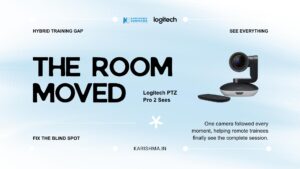
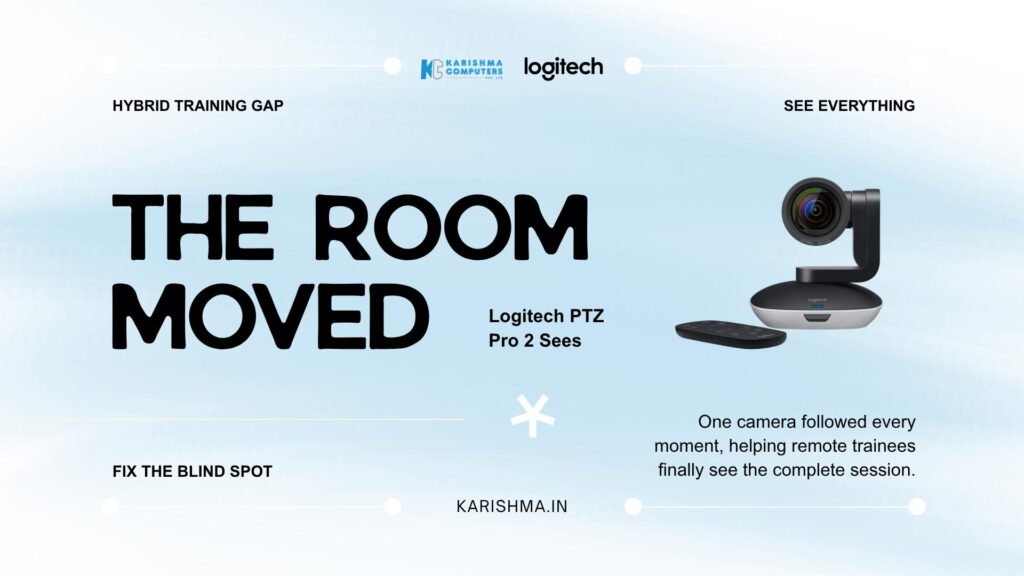
This is where a Logitech PTZ Pro 2 replaced the fixed laptop webcam, not as a general audiovisual upgrade but as the direct answer to what the session review had actually found. Its 10x HD zoom with a 260-degree pan and 130-degree tilt range lets a single camera cover the trainer at the whiteboard, the demonstration table, and a wide shot of the full room without anyone needing to reposition a laptop mid-session. Three programmable presets meant the training coordinator could switch between whiteboard view, demo-table close-up, and full-room wide shot at the press of a remote button, matching what the camera showed to what was actually happening in real time.
The camera’s autofocus held detail steady even during close-ups of small text on safety protocol documents, a level of clarity the branch trainees had never had access to under the old fixed-angle setup. USB plug-and-play connectivity meant the training room’s existing laptop and video conferencing software needed no reconfiguration, which mattered to a facilities team already stretched thin supporting three locations.
What the Logitech PTZ Pro 2 Covers That a Laptop Webcam Cannot
A standard laptop or desktop webcam offers a fixed field of view somewhere around 70 to 90 degrees, adequate for a single face at a desk and never designed to track movement around a room. The Logitech PTZ Pro 2 covers a mechanical pan range of 260 degrees and a tilt range of 130 degrees, which in practical terms means the training coordinator can frame a wide establishing shot of the entire room at the start of a session, cut to the whiteboard the moment the trainer picks up a marker, and push in on a demonstration table without anyone touching a laptop or asking the trainer to stand in a different spot.
Mounting flexibility mattered for a room that had never been purpose-built for hybrid delivery. The included hardware supports both tabletop placement and wall mounting, plus a standard tripod thread for a training coordinator who prefers to reposition the camera between different session formats. A Kensington security slot addressed a separate, more mundane concern: a standalone camera left in a shared training room across three departments needed a way to stay put, and the training coordinator no longer needed to lock it in a cabinet between sessions.
Compatibility was the final piece that made adoption painless. The Logitech PTZ Pro 2 is certified for Skype for Business and works cleanly with Microsoft Teams, Zoom, and most major conferencing platforms, so the academy’s existing video conferencing account needed no migration or new licensing to make use of the new camera. The three programmable presets, saved once during setup, meant every subsequent trainer inherited the same whiteboard, demo-table, and wide-room views without needing to reconfigure anything session to session.
What Changed Once the Room Could Actually Be Seen
Within the next onboarding cycle, branch-based trainee satisfaction scores closed most of the gap with in-room trainees, without a single change to the training content itself. The assistant trainer role, originally created to compensate for what remote participants were missing, was scaled back once there was nothing left to compensate for. HR’s internal note on the shift was blunt: the sessions had not needed to be more engaging. They had needed to be visible.
The Line Item Nobody Had Been Tracking
None of the cost of the fixed webcam ever appeared as an audiovisual expense. It showed up in HR’s retention metrics, attributed loosely to onboarding quality without anyone specifying what “quality” actually meant. It showed up in the assistant trainer’s added hours, a headcount cost carried by the training budget to patch a camera limitation nobody had identified as such. It showed up, most expensively, in the two resignations that opened this account, both of which cited a feeling that training itself had failed to prepare them, when the training content had been sound all along and only the camera covering it had not.
This pattern recurs across corporate training setups throughout Delhi NCR wherever a single fixed camera is expected to cover a room built for movement, whiteboards, and hands-on demonstration. A laptop webcam, adequate for a one-to-one video call, is rarely adequate for a training room where the meaningful content moves between three or four physical points across a session.
A Standalone Observation
Remote participants rarely complain about what they can see. They go quiet about what they cannot, and that silence gets misread as disengagement rather than as a visibility gap. Before assuming a remote audience needs more energy, more repetition, or more hand-holding, it is worth confirming they can actually see what the room is showing in the first place. Most of what reads as an engagement problem is, on closer inspection, a coverage problem wearing a more comfortable name.
For training academies, sales offices, and consultancies running hybrid sessions across Gurgaon, Noida, and Manesar, a Logitech PTZ Pro 2 addresses a specific version of that gap: one camera, three presets, and a room that finally shows remote participants what has been happening in front of them the entire time.
The same reasoning extends past onboarding rooms. Any hybrid setup where a presenter moves between a screen, a whiteboard, and a demonstration surface, a product training session, a compliance briefing, a client-facing workshop, runs into the same fixed-webcam limitation eventually. Facilities teams evaluating a room upgrade for one purpose often find the same camera solves two or three adjacent problems once it is actually in place, simply because most hybrid friction traces back to the same root cause: a camera built for one face, asked to cover a room built for movement. A Logitech PTZ Pro 2 removes that mismatch at the source, which is a cheaper and more durable fix than adding people, minutes, or slides to compensate for what the room was never able to show in the first place.
Karishma Computers supplies the Logitech PTZ Pro 2 and the wider Logitech conferencing range to training academies, corporate offices, and consultancies across Delhi NCR, with setup support for hybrid rooms in Gurgaon, Noida, and Cyber City.
FAQs
-
What zoom range does the Logitech PTZ Pro 2 offer?
It offers 10x HD lossless zoom, letting one camera cover both a wide room shot and close-up detail on a whiteboard or demonstration table.
-
How wide is its pan and tilt range?
260 degrees of mechanical pan and 130 degrees of tilt, enough to reframe a room without physically moving the camera.
-
Does it need special software to set up?
No, it connects over USB and works with most video conferencing platforms without additional software, though an optional settings app is available for advanced control.
-
Can it save multiple camera views?
Yes, it supports three programmable presets plus a home position, so a trainer or coordinator can switch between whiteboard, demo-table, and wide-room views instantly.
-
Does the Logitech PTZ Pro 2 include a microphone or speaker?
No, it is a standalone camera and is meant to pair with a separate room audio system or speakerphone.
-
What platforms is it compatible with?
It is certified for Skype for Business and works with Microsoft Teams, Zoom, and most major video conferencing applications.
-
Is it suitable for training rooms specifically?
Yes, its wide pan and tilt range is particularly suited to rooms where a presenter moves between a whiteboard, screen, and demonstration area.
-
Does Karishma Computers provide setup support in Delhi NCR?
Yes, setup support is available for training academies, corporate offices, and consultancies across Gurgaon, Noida, and Cyber City.