
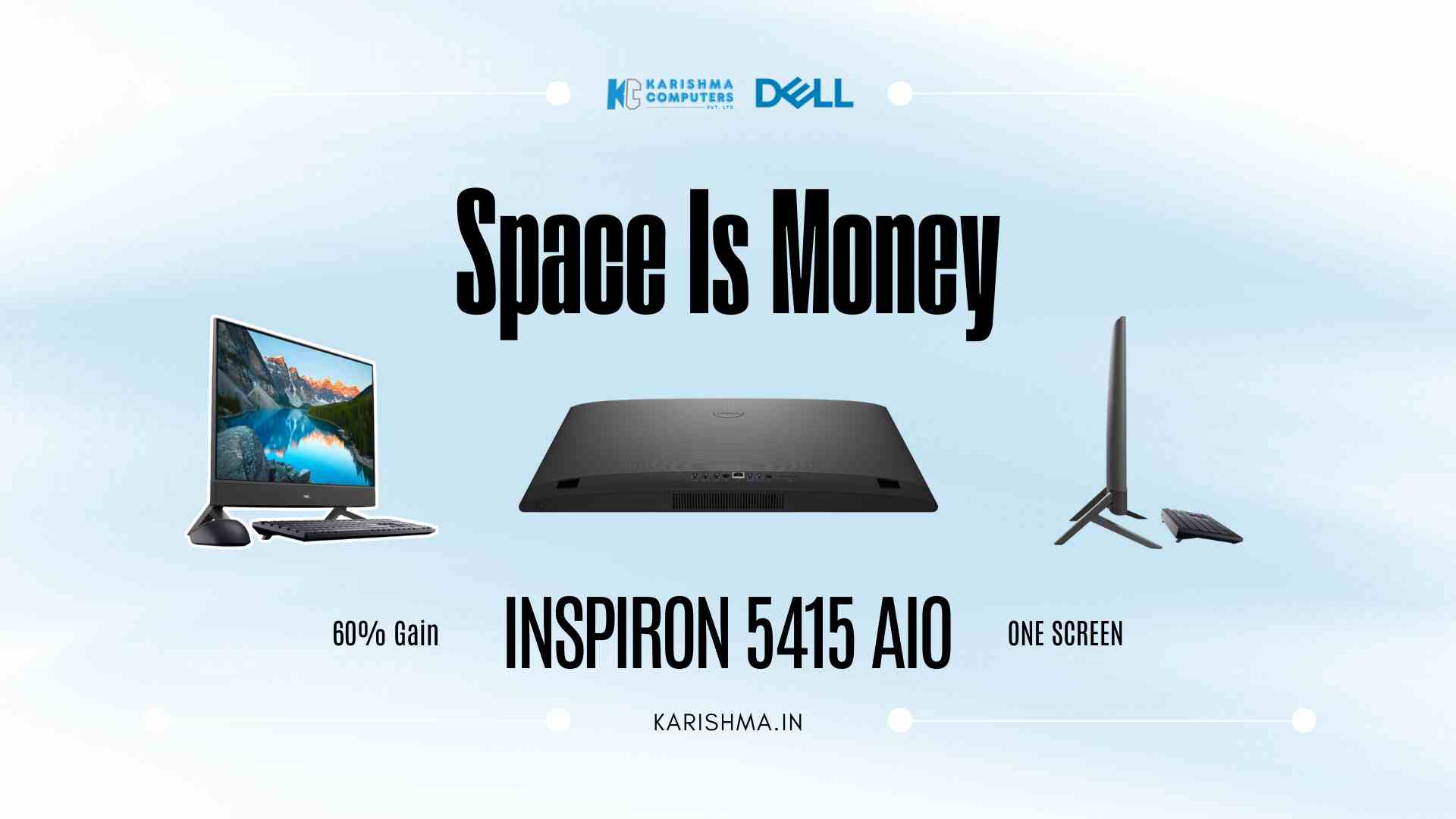
How a Space-Saving Desktop Computer Solves the Open Office Layout Problem Permanently
Workspace density determines a space-saving desktop computer becomes a procurement priority the moment organizations calculate square footage cost per employee. Open office layouts, coworking desks, and hybrid work hoteling schemes all reach the same constraint: physical desk area competes with equipment footprint. The tower-plus-monitor configuration occupies territory that collaborative environments cannot afford to surrender. Why Workspace Real Estate Cost Forces the Desktop Conversation Delhi NCR’s commercial office sector operates under rental economics that make every square foot a line item. Gurgaon Cyber Hub, Noida Sector 62, and Faridabad’s industrial corridors price workspace at rates where desk allocation directly connects to operational overhead. When organizations deploy traditional tower desktops with separate monitors, the equipment footprint extends beyond the visible computer into cable runs, power adapters, and clearance zones that fragment usable desk area. A coworking operator managing 140 desks across three Gurgaon locations ran a utilization study that tracked physical space consumption against actual workspace availability. Each traditional desktop configuration consumed approximately 24 inches of lateral desk space and 18 inches of depth when accounting for monitor placement, tower positioning, keyboard area, and minimum ergonomic clearance. The calculation revealed that desktop hardware was consuming desk territory at a ratio that reduced hoteling capacity by nearly 35% compared to theoretical maximum occupancy. The operator faced a decision point. Expanding workspace meant higher lease commitments. Reducing equipment footprint meant reconsidering the desktop hardware standard. A space-saving desktop computer became the only path forward. What the Dell Inspiron 5415 AIO Space-Saving Desktop Computer Delivers Differently The Inspiron 5415 all-in-one integrates the computing components behind a 23.8-inch InfinityEdge display. The footprint measures 21.37 inches wide by 1.58 inches deep without the stand. With the stand attached, total depth extends to 7.86 inches. That specification eliminates the tower entirely and consolidates display, processor, storage, and connectivity into a single unit that occupies desk space equivalent to a monitor alone. The AMD Ryzen 5 5625U processor runs 6 cores and 12 threads at 15W TDP, handling multitasking workflows across collaboration software, document processing, and browser-based applications without thermal or performance constraints. DDR4-3200 memory configurations scale from 8GB to 32GB, supporting workload intensity from basic administrative tasks to data analysis and design work. Storage options combine M.2 PCIe NVMe SSDs with optional HDD capacity for organizations balancing performance against file volume requirements. The InfinityEdge display design reduces bezel width to near-invisible margins, maximizing screen area within the physical chassis. ComfortView Plus technology filters blue light emission without color distortion, addressing extended screen time without requiring external monitors or third-party software. The FHD touchscreen variant adds direct interaction capability for collaborative workflows where touch input improves efficiency over mouse-only navigation. Connectivity That Converts the Desktop Into a Workspace Hub USB-C connectivity handles data transfer, peripheral attachment, and display output through a single port. HDMI-in functionality allows the Inspiron 5415 to operate as a secondary monitor when connected to a laptop, converting the all-in-one into a dual-role device that serves both as primary desktop and extended display without requiring separate hardware. That configuration addresses hybrid work scenarios where employees alternate between desk-based workflows and mobile computing without equipment duplication. WiFi 6 support eliminates ethernet dependency for organizations operating cable-free workspace layouts. The wireless keyboard and mouse configuration that ships with the device removes the final physical tether, creating a desktop setup that requires only power connection. For hot-desking environments where employees rotate between workstations, that cable reduction translates directly into faster desk transitions and cleaner workspace presentation. What Happened When Workspace Density Drove the Equipment Decision The Gurgaon coworking operator deployed the Dell Inspiron 5415 as their space-saving desktop computer standard across 42 hoteling desks. The installation eliminated tower storage and returned desk area previously consumed by equipment clearance zones. Measurement showed a 60% increase in usable desk surface per workstation compared against the tower-and-monitor configuration. Desk turnover time dropped measurably. Employees transitioning between workstations no longer navigated cable runs or tower positioning. The wireless peripherals and single-power-cord setup reduced desk claiming time from an average of 4 minutes to under 90 seconds, a metric that became operationally significant during peak morning arrival periods when 60-plus employees claimed desks simultaneously. The operator extended deployment to their Sohna Road and Golf Course Road locations within the following quarter. Workspace utilization rates improved across all three sites, driven by the ability to fit more functional desks into existing floor plans without sacrificing equipment capability or employee comfort. The all-in-one configuration had shifted from an alternative desktop format to a workspace density tool. The Technical Considerations That Matter in Practice All-in-one desktops consolidate components at the cost of upgradability. The Inspiron 5415 allows memory expansion through accessible SODIMM slots, but processor and graphics remain fixed at purchase specification. Organizations planning multi-year deployment cycles need to right-size configurations during procurement, as performance scaling through component upgrades is limited compared to tower desktops where CPU, GPU, and storage swap independently. The integrated AMD Radeon graphics handle standard business applications and light creative work effectively, but fall short of dedicated GPU performance for intensive rendering, CAD workflows, or video production. Teams running specialized software should validate application performance against the integrated graphics specification before committing to all-in-one deployments across technical roles. Pop-up webcam design addresses privacy concerns without external camera covers. The FHD camera deploys when needed and retracts mechanically when not in use, creating a physical barrier that software-only privacy controls cannot match. For organizations operating in regulated industries or handling sensitive client communication, that hardware-based privacy mechanism provides compliance value beyond convenience. The Space-Saving Desktop Computer Built for Hybrid Work Density The all-in-one format operates as a space-saving desktop computer across multiple workspace configurations: dedicated employee desks in traditional offices, hoteling stations in hybrid work environments, reception and service counters where public-facing staff require computing capability without equipment visibility, and training rooms where desktop arrays must fit within constrained classroom layouts. The 5415’s slim profile and wireless peripheral support adapt to workspace constraints that tower configurations cannot accommodate. Monitor mode functionality extends the