
Multi-Device Desks, the Logitech MK850, and the Cost Nobody Tracks
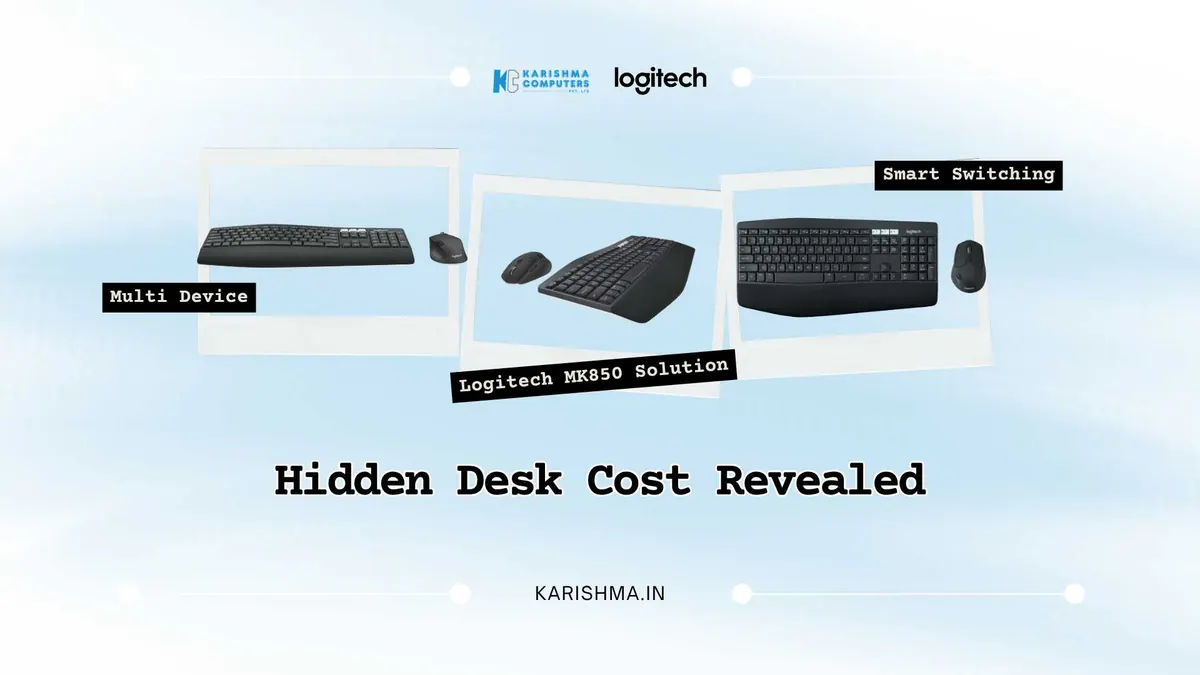
In short The Logitech MK850 keyboard and mouse combo can pair with up to three devices using Bluetooth or the Unifying receiver. Here is why device switching friction is worth noticing.
Imagine a management consultant working from a serviced office in Cyber City, Gurugram, who has developed a firm theory about his own performance. Afternoons are harder than mornings. Projects finish past their original estimates with noticeable regularity. Three productivity applications sit on his phone. None of them help. The detailed time-blocking system he maintains each Sunday evening does not help either. The problem, he concludes after several weeks of self-examination, is discipline. A concentration issue. A personal failing rather than a structural one.
The Setup That Appeared to Be Working
His workstation runs a laptop on the left for client communication and presentations, a desktop on the right for processing-heavy analytical work, and a tablet positioned at the back for reading reference material during calls. All three are in active daily use and all three perform exactly as they should. The physical act of transitioning between them, repositioning the keyboard, occasionally re-pairing the mouse via Bluetooth, adjusting posture and attention from one machine to the next, adds a layer of friction he has never measured because each individual transition appears trivial.
Many such transitions across a working day add up. His first corrective attempt is to restructure his calendar more aggressively. It helps for a while, then the pattern returns. He buys a KVM switch next, which addresses the monitor-switching problem with reasonable efficiency. The keyboard and mouse situation remains entirely unchanged. Re-pairing remains necessary. Physical repositioning remains necessary. The friction between three separate peripheral setups persists, now better concealed behind a partial solution that has addressed the visible half of the problem while leaving the costly half intact.
The Misattribution That Runs for Years
There is a specific misattribution that runs through multi-device professional setups for a long time without correction. The performance gap appears real because it is real. The projects are late. The afternoons are harder. What does not happen is the question of cause. When the cost presents convincing evidence of itself, the assumed explanation rarely receives the scrutiny that would expose it as incorrect. The assumption that a performance gap in knowledge work traces to the person rather than the physical environment is particularly durable because it aligns with how most professionals think about productivity. Discipline. Focus. Time management. None of these diagnoses point to the keyboard.
The standalone observation worth carrying into any multi-device setup review: functional and frictionless are not the same condition. Equipment that performs its stated task reliably can simultaneously introduce costs that do not appear in any performance specification. Those costs appear elsewhere.
Logitech MK850 Battery Life and Connections
Logitech India lists the MK850 as pairing with up to three devices over Bluetooth Low Energy or the Unifying receiver. In this scenario the consultant pairs his laptop, desktop, and tablet, and transitions between machines become less of a chore.
For battery life, Logitech India lists up to 36 months for the keyboard and up to 24 months for the mouse, depending on use. Specifications can vary by model and region; please confirm the India variant with us.
For compatibility, tell us which devices and operating systems you use and we will help you confirm the fit.
Connections in Shared Office Environments
Multi-device setups in open offices and coworking spaces carry specific connectivity considerations. The MK850 pairs over Bluetooth Low Energy or the Unifying receiver, so you can choose the connection that works best for each device. For professionals working from shared spaces in Okhla Industrial Area, the coworking developments in Aerocity, or the serviced office towers in Sector 18 Noida, it is worth testing the connection in your own environment.
Where the Invoice Was Being Filed
In this scenario, the consultant reviews the projects that have been running late. The project scope has not changed and client requirements have not increased in complexity. What may be changing is a layer of daily peripheral friction distributed invisibly across every working hour. That time never appears as a line item. It can appear in project completion dates as overruns on work that is otherwise scoped and resourced correctly, and be classified as scope creep or attributed to client revisions. The actual source can be a keyboard and mouse problem that no calendar system or productivity application is designed to address.
The cost had been filed under the wrong category. That is the nature of setup friction in knowledge work environments: it never presents with its actual label.
The Delhi NCR Professional Services Context
In the offices occupying Gurugram’s Sector 44 business parks, the commercial developments along Connaught Place, and the professional services clusters in Noida Sector 62, multi-device workstations are the standard arrangement. Laptop for mobility and client visits. Desktop for processing and rendering. Tablet for presentations and reference material. The hardware investment in each individual device receives careful evaluation. The investment in the peripheral layer the keyboard, the mouse, and the physical experience of moving between those machines across an eight-hour workday often goes unexamined until the cost of that omission becomes visible in other numbers.
That is the gap the Logitech MK850 fills. Not as a convenience upgrade but as a correction of a setup that was technically functional but not frictionless. The distinction matters in environments where workdays are long, device transitions are frequent, and accumulated overhead has been quietly reclassified as something more personal than the evidence actually supports.
When This Merits Evaluation
The Logitech MK850 is designed for people who work across several devices. The case rests on daily device-transition frequency and the cost of those transitions in the current arrangement. For teams in Delhi NCR managing workstations where three devices are in simultaneous active use design agencies in Okhla, financial advisory practices in Nehru Place, the consulting firms in DLF Cyber Hub the evaluation is worth conducting. Count the daily transitions. Estimate the accumulated time. Ask where that time is currently being recorded in the business. Karishma Computers supplies Logitech products in Delhi NCR. Details are available at Karishma.In
FAQs
Q1 : How many devices can the Logitech MK850 connect to at once?
A: Logitech India lists the MK850 as pairing with up to three devices over Bluetooth Low Energy or the Unifying receiver.
Q2: How can I check the Logitech MK850 against my own devices?
A: Tell us which laptops, desktops and tablets you use and we will help you confirm the fit with Logitech India’s listing for the MK850.
Q3: How long does the Logitech MK850 battery last?
A: Logitech India lists up to 36 months for the keyboard and up to 24 months for the mouse, depending on use.
Q4: Is the Logitech MK850 suitable for use in shared office or coworking environments?
A: The MK850 pairs over Bluetooth Low Energy or the Unifying receiver, so you can choose the connection that works best in your environment. Please test it in your own space.
Q5: Where can the Logitech MK850 be purchased in Delhi NCR?
A: Karishma Computers supplies Logitech products in Delhi NCR, serving Delhi, Gurugram, Noida, Faridabad, and surrounding areas. Details are available at karishma.in.
This article uses an illustrative scenario. Names, figures and outcomes are examples, not customer results.
Keep reading
Not sure which fits?
Tell us what you need. Our team will help you choose and send a quote.