Honeywell PD45s 300 DPI Label Printer Delhi NCR
In short How a higher-resolution Honeywell PD45S label printer can help where small barcodes misread, in an illustrative Okhla assembly-line scenario.
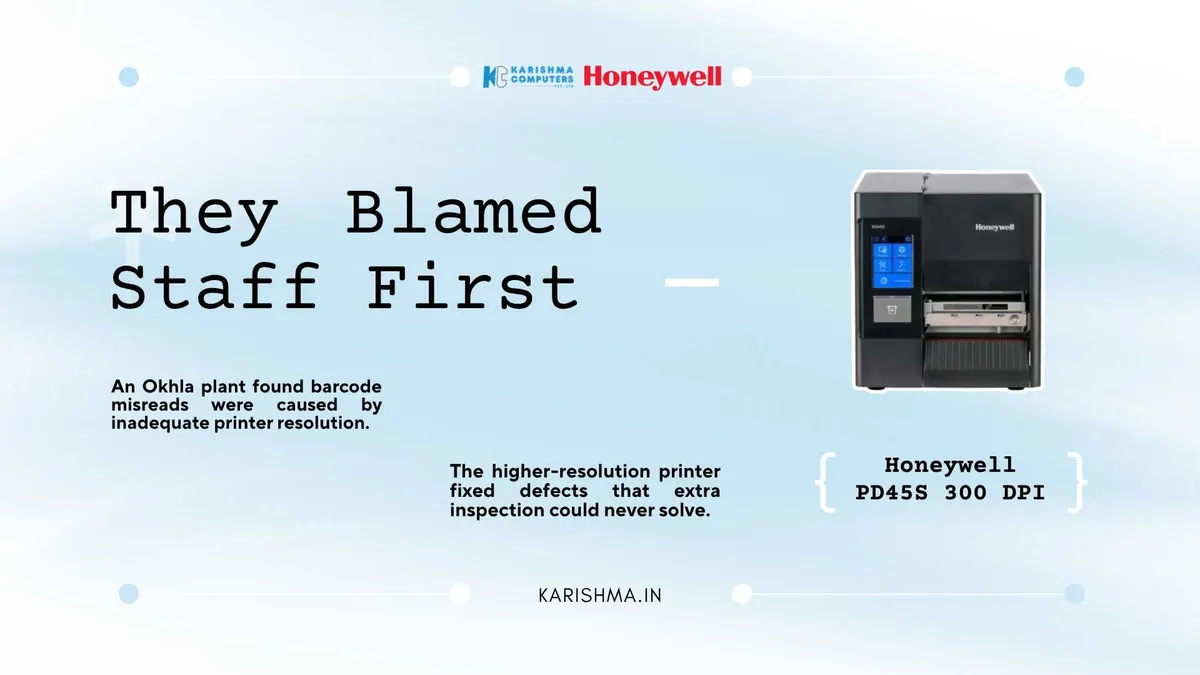
What An Okhla Plant Got Wrong About Defects Before A Higher-DPI Honeywell PD45S Fix
In this scenario, a small electronics component assembler in Okhla Industrial Area uses a Honeywell PD45S label printer to address a defect problem the quality team has spent production cycles trying to solve by watching people more closely.
The unit assembles small circuit modules for a client that requires a printed part-number and lot-code label on every finished piece, scanned at three points along the line before final packing. Misassembly complaints start arriving from the client: the wrong module variant, correctly labelled on paper but scanned into the system under a different part number. The floor supervisor’s first read is that assembly staff are pulling parts from the wrong bin under time pressure. An additional QC checkpoint is added, with a second inspector re-verifying labels before packing.
Complaints from the client do not stop.
What The Extra Inspection Missed
The second inspector checks labels for correctness, and the labels are correct. The issue sits one layer beneath that: the barcodes on the smallest modules are printed small, because label space is tight, and some of them are not scanning cleanly at the line’s handheld scanners. The codes are readable by eye but not consistently by the scanners.
Nobody bills those misreads to the label printing. They show up as client complaints logged against “assembly accuracy,” as an extra inspector’s salary added to a line that has not otherwise grown, and as a rising rework rate that the monthly report attributes to “process variance.”
This pattern can appear in small manufacturing units across Delhi NCR’s industrial belt. A misread barcode gets treated as human error further down the line, inspection gets added, and print resolution never gets questioned.
Why Resolution Was The Likely Fix
The floor supervisor who traces the pattern is not looking for a general printer replacement. The finding is narrower: barcodes on the smallest modules print with enough dot spread that fine elements blur into each other. That is a resolution question, not a training question.
In general terms, a higher-dpi model prints finer detail. That matters on small, dense barcodes, while larger shipping labels may read well either way. For a line printing part-number codes onto modules with limited label space, finer print detail can be the difference between a code that reads on the first pass and one that needs a second or third attempt. Specifications, warranty and kit contents depend on the India model; please ask us for the India datasheet before you order, and please confirm which resolution options are offered for the India model.
Print Quality Under Daily Line Use
Print consistency matters as much as raw resolution once a line moves to a two-shift schedule. Label placement accuracy, printing mode and build depend on the India model, so please ask us for the datasheet. Thermal transfer printing is commonly chosen for labels that face handling and light abrasion during packing; ask us what suits your labels.
What Changed On The Line
In this scenario, client-reported misassembly complaints ease after the changeover. The line no longer generates labels that a scanner might or might not read correctly, so the second QC inspector, added to catch a problem that inspection could not solve, is reassigned to a different line.
The rework rate attributed to “process variance” eases alongside the complaints. The misreads were not a process or people problem. They were a print detail problem sitting upstream of every inspection added to catch it.
What The Switch Actually Costs
Plant managers pricing a printer change tend to compare unit cost against keeping the existing printer running a little longer. That misses what the misread rate was costing before anyone traced it.
Comparing Printer Cost With Continued Rework Costs
The earlier printer had not failed outright, which is part of why it stayed on the line. It printed labels that looked fine to the eye and scanned correctly most of the time, just not reliably enough on the smallest modules. That kind of cost hides because it never announces itself as an equipment failure.
Once the comparison becomes a defect-rate question, printer price is only one part of it. Ribbon length, ribbon changeovers and on-printer applications depend on the India model; please ask us for the India datasheet.
There is a second saving that never appears on the equipment budget. The second QC inspector’s time is redirected to a line that needs the extra headcount. That cost had been sitting in the quality budget, filed under “process variance” rather than under label print detail.
The Honeywell PD45S is one option to look at where label detail is the issue. The useful comparison is the resolution that matches the label size the line needs to print reliably.
A Pattern Worth Recognising
Manufacturing floors tend to look at the people handling parts first when a defect pattern appears, because attention and discipline feel more directly manageable. The label printer generating the codes sits upstream, rarely questioned, until someone traces a misread back to its source.
For assembly lines, warehouses and packing operations across Delhi NCR’s industrial belt printing part-number or lot-code labels on increasingly small components, the question is not only whether one more inspection checkpoint would help. It is whether the print detail generating those codes suits the label size.
That question rarely gets asked on its own schedule, because marginal barcodes never fail in a way that forces the issue. Industrial units across Okhla, Faridabad and the Noida manufacturing belt that print small labels are good candidates for a Honeywell PD45S conversation. Tell us your label sizes and daily label volume and we will help you choose.
What is the print resolution of the Honeywell PD45S?
Resolution options depend on the India model. In general, a higher-dpi model prints finer detail, which helps on small, dense barcodes. Please ask us for the India datasheet and tell us your label sizes.
What printing modes does the Honeywell PD45S support?
Printing modes depend on the India model. Please tell us how durable your labels need to be and we will confirm from the India datasheet.
How accurate is label placement on the Honeywell PD45S?
Placement accuracy depends on the India model. Please ask us for the India datasheet before you order.
Can the Honeywell PD45S run without a host computer?
It depends on the India model and your label jobs. Please tell us your setup and ask us what the model supports.
What connectivity options does the Honeywell PD45S support?
Connectivity depends on the India model and kit. Please tell us your network and host systems and we will confirm.
How long are the ribbon rolls for the Honeywell PD45S?
Ribbon options depend on the India model. Please ask us for the India datasheet and tell us your daily label volume so we can help you choose.
This article uses an illustrative scenario. Names, figures and outcomes are examples, not customer results.
More from Honeywell: all Honeywell products · full product finder · request a quote
Related products
Keep reading
Not sure which fits?
Tell us what you need. Our team will help you choose and send a quote.
A note on the stories on this blog: some are illustrative scenarios written to explain an idea. They are not reports about named customers, and any likeness to a real business is a coincidence. Product details come from the brand's official India website, so the team confirms the current India model and configuration on an enquiry.