Why Pharmacy Staff Kept Getting Blamed Until the Honeywell PD45S 203 DPI Printer Told a Different Story
In short For three months, the Honeywell PD45S 203 DPI printer sat in the back office of a Lajpat Nagar pharmacy chain, unquestioned, while the front counter took the blame for something it hadn't caused. Customers at two of the chain's.
For three months, the Honeywell PD45S 203 DPI printer sat in the back office of a Lajpat Nagar pharmacy chain, unquestioned, while the front counter took the blame for something it hadn't caused. Customers at two of the chain's five outlets had started disputing prices at checkout, insisting the shelf sticker said one figure while the billing system charged another. The owner's first conclusion was staff error. Someone at the back office, he assumed, was selecting the wrong SKU when printing price stickers, or pharmacists at the counter were sticking labels on the wrong shelf hooks during restocking.
Two pharmacists received a formal talking-to. A new SOP went up requiring a second person to verify every batch of price stickers before they left the back office, and outlets were told to cross-check shelf labels against the billing system every morning before opening. The dispute rate barely moved. Customers kept pointing at stickers that looked, to the owner's own eye during a site visit, slightly blurred at the edges, a six that could pass for an eight under the fluorescent lighting of a pharmacy counter, a three that read like a nine if you weren't looking closely enough.
Nobody had connected the blur to the printer. The desktop printer producing those stickers had been running for close to two years under daily use that far exceeded what a consumer-grade unit was built for, and its print quality had degraded gradually enough that nobody at the back office had noticed the change happening day to day. The cost of that degradation wasn't landing in an equipment budget, because the printer still switched on every morning and nobody had logged a formal complaint against it. It was landing in refunds and discretionary discounts given to upset customers at the till, a line the finance team tracked as "customer goodwill" rather than as a hardware fault wearing a pricing-dispute costume.
What Changed When the Honeywell PD45S 203 DPI Printer Replaced the Back-Office Unit
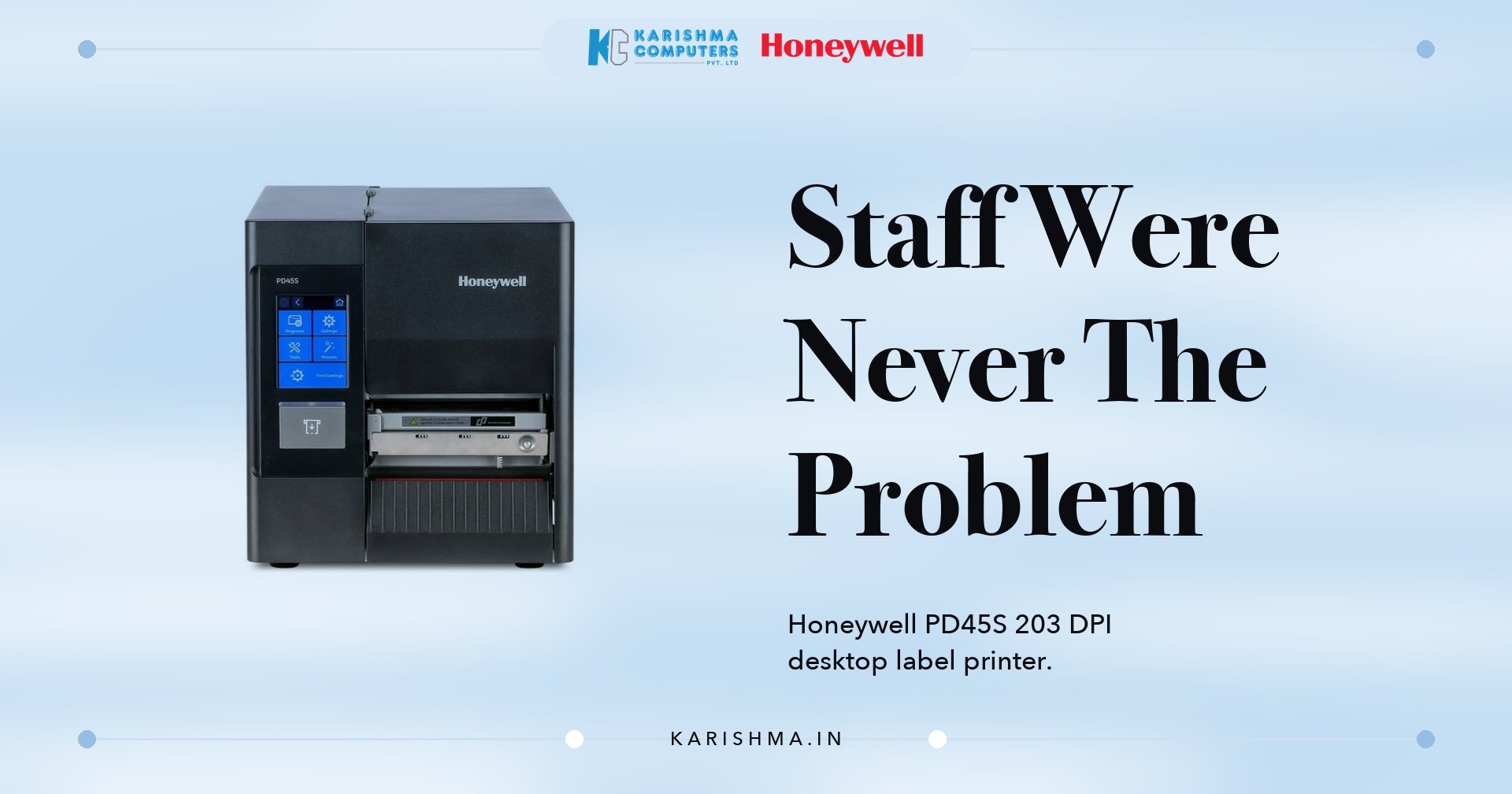
The pharmacy chain replaced its back-office printer with a Honeywell PD45S 203 DPI printer, a desktop-class thermal unit built specifically for the kind of continuous label runs a multi-outlet retail back office generates daily. At 203 DPI, digits that had been blurring into each other at the old printer's degraded output rendered crisp enough that a six could no longer be mistaken for an eight across a pharmacy counter. Print speeds of up to 10 inches per second meant the back office could run a full morning's price-label batch for all five outlets well before opening time, something the previous unit had struggled to finish without overheating partway through.
Why the Honeywell PD45S 203 DPI Printer Solved a Problem Nobody Had Diagnosed Correctly
The printer's dual-sensor positioning technology mattered more than the chain's operations manager expected going in. Pharmacy price labels run small, often under 5mm in height for expiry-date stickers, and the old printer had been drifting slightly on label placement over time, a drift nobody had measured because nobody expected a printer to wander. The PD45S held registration accurate enough that labels aligned consistently across an entire roll, removing a second, quieter source of the same complaint: stickers that looked correct but had been cut or positioned just enough off-centre to obscure part of a digit.
Support for both direct thermal and thermal transfer printing gave the back office flexibility it hadn't previously had. Expiry-date stickers, which need to survive months on a shelf without fading, moved to thermal transfer ribbon printing, while same-day promotional price tags stayed on cheaper direct thermal stock. The chain's finance team had been buying one type of consumer label roll for every purpose before, a decision made for simplicity that was quietly costing more in ribbon-free media that faded faster than it should have on long-shelf-life items.
The printer's healthcare configuration option turned out to matter for one of the chain's outlets in a way nobody had planned around. That branch also handled a small compounding counter, printing patient-specific dosage labels alongside standard retail price tags, and the earlier printer had been running both label types through the same worn printhead without any separation in handling. Moving compounding labels to a dedicated roll on the Honeywell PD45S 203 DPI printer, using the unit's support for guide-hole and notch paper formats, removed a mix-up risk the pharmacist in charge had been managing manually by double-checking every batch before it left the counter.
A fair question surfaces here: is a dedicated desktop printer like the Honeywell PD45S 203 DPI printer overkill for a five-outlet pharmacy chain's back office. For a single shop printing a handful of labels daily, probably. For a multi-outlet operation printing hundreds of price and expiry labels every morning, where a single misread digit becomes a customer dispute and a discount nobody budgeted for, the calculation changes. The real question isn't whether the printer's industrial-grade build is more than the task needs on a quiet Tuesday. It's what a blurred digit costs on a busy Saturday multiplied across five tills.
The same misdiagnosis surfaces across other Delhi NCR retail formats. A grocery chain with outlets in Rajouri Garden and Janakpuri spent two months investigating cashier complaints about "wrong price tags" before discovering the actual fault sat in a printhead that had worn unevenly after running past its rated duty cycle. A courier franchise counter in Karol Bagh blamed front-desk staff for slow waybill printing during peak hours before realising its printer, bought for occasional use, had never been rated for the volume the franchise now handled daily.
The chain also priced out what sticking with the old printer would have cost going forward. A printhead replacement was already overdue, the unit had started jamming roughly twice a week during peak morning printing, and the goodwill discounts handed out over the previous quarter, once someone finally added them up, came to more than the price of a new printer outright. Once those figures sat next to each other, replacing the printer stopped looking like a discretionary upgrade and started looking like the cheaper of two costs the business was already paying, one visible on an invoice and one hidden inside a discount line nobody had been tracking as a single number until that point.
There's a pattern worth naming on its own, separate from pharmacies or printers specifically. Retail operators across Delhi NCR tend to treat a recurring customer complaint as a training failure first, because a staff conversation feels faster and cheaper than replacing equipment. It rarely resolves the underlying issue. The SOP gets written, the warning gets issued, and the same complaint resurfaces within weeks because the tool producing the fault never changed. Equipment wearing out gradually is especially easy to miss this way, since nobody notices a printer degrading day by day the way they would notice it failing outright.
For multi-outlet retail back offices anywhere from Lajpat Nagar to Rajouri Garden running daily price and compliance labelling, a Honeywell PD45S 203 DPI printer typically pays for itself within a few billing cycles, almost entirely in avoided discounts and disputes rather than any saving on label stock.
The Lajpat Nagar pharmacy chain didn't need stricter staff or a second verification step at every till. It needed a printer that could still produce a legible digit after two years of daily back-office use. Karishma Computers has walked similar conversations with pharmacy chains, grocery retailers, and courier counters across Lajpat Nagar, Rajouri Garden, and Karol Bagh, businesses that assumed a pricing dispute was a people problem until someone finally held a disputed sticker up to the light. The Honeywell PD45S 203 DPI printer didn't fix the chain's staff training. It removed the one variable that had been quietly manufacturing disputes nobody could otherwise explain.
To see the range, read about the Honeywell PD45S and PD45 printers on our site, or Honeywell's own PD45S/PD45 page.
Please ask Karishma Computers to confirm the current India model, configuration and availability before you order.
Questions and answers
What print resolution does the Honeywell PD45S printer support?
The PD45S is available in 203 DPI and 300 DPI resolutions. The 203 DPI configuration suits standard retail price and compliance labels, printing at speeds up to 10 inches per second.
Does the Honeywell PD45S support both direct thermal and thermal transfer printing?
Yes. It handles both methods, letting a business use cheaper direct thermal stock for short-life price tags and thermal transfer ribbon for labels that need to survive months on a shelf, such as expiry stickers.
How accurate is label placement on the Honeywell PD45S?
Its dual-sensor positioning technology supports label heights as small as 5mm with vertical accuracy of up to 0.5mm, which matters for small-format labels like expiry stickers and compliance tags.
Can the Honeywell PD45S connect to a retail back office over a network?
Yes. It supports Ethernet, USB, and serial connectivity, and wireless models support IEEE 802.11 a/b/g/n/ac for back offices that need to print from a shared network location.
Is the Honeywell PD45S suitable for multi-outlet retail chains?
Yes. It's built for continuous, high-volume industrial and retail printing rather than occasional single-shop use, which is the gap that causes gradual print-quality decline on consumer-grade printers run past their intended duty cycle.
What printer languages does the Honeywell PD45S support?
It supports DPL, IPL, ZPL, XML, and Fingerprint emulations, allowing it to replace legacy printers from other brands without rebuilding existing label templates.
More from Honeywell: all Honeywell products · full product finder · request a quote
Related products
Not sure which fits?
Tell us what you need. Our team will help you choose and send a quote.