
What a Mayapuri Accounts Office Learned About Scanning When It Chose the Epson L3560
In short The Epson L3560 is an A4 colour ink tank printer that prints, scans and copies. Epson lists a flatbed scanner at 1200 x 2400 dpi, Wi-Fi Direct for up to 8 devices and a warranty of up to 2 years or 50,000 prints.
| Product | Epson EcoTank L3560 A4 Wi-Fi All-in-One Ink Tank Printer |
|---|---|
| Functions | Print, scan and copy (flatbed) |
| Scanner type | Flatbed colour scanner with a CIS sensor |
| Scan area | 216 x 297 mm |
| Scan optical resolution | 1200 x 2400 dpi |
| Scan bit depth (colour) | 48-bit input, 24-bit output |
| Wi-Fi Direct | Up to 8 devices without a router |
| Warranty | As listed by the brand on its official India page |
| Where to buy | Karishma Computers, Ashok Bhavan, 93 Nehru Place, 204, New Delhi. Call or WhatsApp +91 84488 04041, or request a quote. |
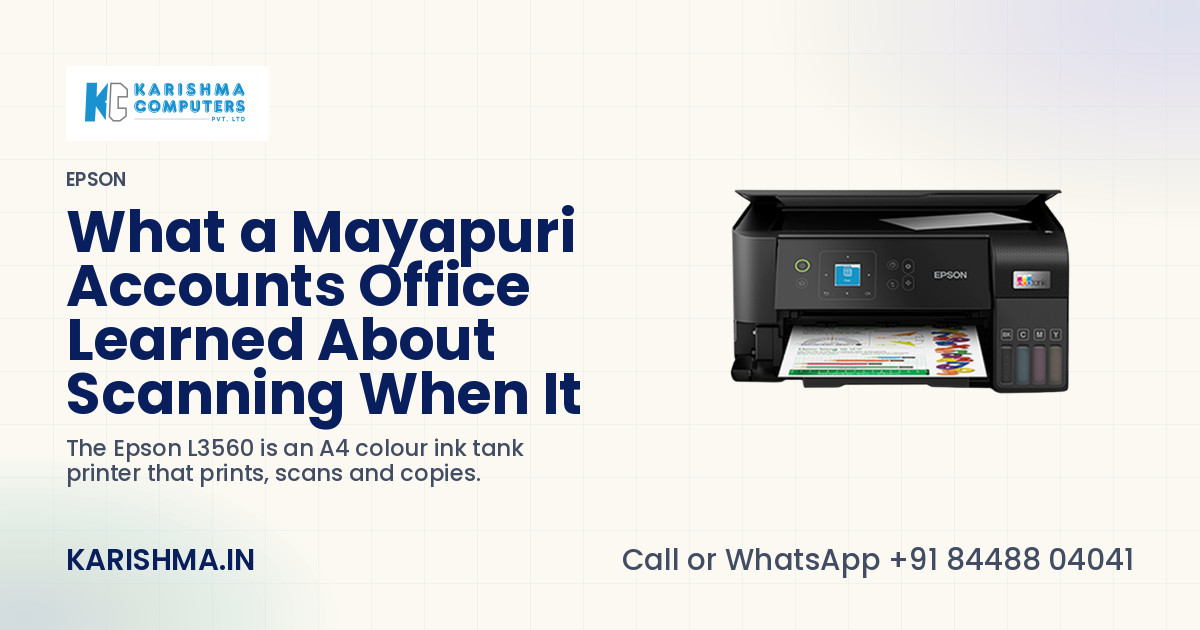
In short, the Epson L3560 is an A4 colour ink tank printer that prints, scans and copies, with Wi-Fi and Wi-Fi Direct for up to eight devices without a router. Epson's India page lists a flatbed colour scanner at 1200 x 2400 dpi, replacement ink bottles rated at 4,500 pages for black and 7,500 for colour, and a warranty of up to 2 years or 50,000 prints, whichever comes first. The story below is a composite scenario, not an account of any named customer, and every product figure in the article comes from Epson's own pages.
The Mayapuri office that paid by the page to scan
An accounts office in Mayapuri sent six or seven invoices to clients every day. Each one was printed, signed, stamped and then carried across the road to a cyber cafe to be scanned and mailed as a PDF. The owner decided the accounts clerk was slow. The clerk decided the cafe was slow. Each was right about the other, and the invoices kept leaving late.
A printer had been replaced once already. The new one printed well, and it had no scanner, so the walk across the road stayed exactly where it was.
Where the money was going
The cafe charged by the page, and that bill went under conveyance, between auto fares and tea. The clerk's forty minutes on the road each day were counted as accounts hours. An invoice that went out two days late because the signed copy had not come back sat under working capital, as a little extra interest nobody had linked to a pavement.
One thing was true with or without any product. Nearly all of the scanning was the same four documents: a signed invoice, a delivery challan, a purchase order and a GST form. Nobody had ever counted them.
What the Epson L3560 offers a small office
The Epson L3560 prints, scans and copies from one unit. Epson's page describes a 100-sheet rear paper tray and borderless photo printing up to 4R. The head is Epson's PrecisionCore Heat-Free technology, and the printhead comes pre-installed, so setup is a matter of filling the tanks and connecting.
Scanning, copying and the phone
The scanner is a flatbed with a CIS sensor. Epson lists an optical resolution of 1200 x 2400 dpi, a scan area of 216 x 297 mm, which is A4, and 48-bit colour input with 24-bit output. Epson's India page lists a scan time of up to 11 seconds for a black and white page and 28 seconds for colour. For the four documents in the story, that means a signed invoice goes on the glass, becomes a file and leaves the office without a walk.
The Epson Smart Panel app lets a phone or tablet print, copy, scan, connect to Wi-Fi and troubleshoot. Epson Connect adds iPrint, Email Print and a Remote Print Driver, which suits an owner who wants to send a print to the office from elsewhere.
Ink, tanks and refilling on the Epson L3560
The ink sits in tanks built into the printer, and the bottle nozzle is designed for spill-free refilling. Epson's India page lists black bottles at 4,500 pages and cyan, magenta and yellow at 7,500 pages as a composite yield, and the order code is 003. Epson also states that the bottles that come with the printer yield less, because part of that ink is used to start the printer, and that real yields vary with the images printed and how often the printer is used.
Connecting the office
Wi-Fi Direct lets up to eight devices connect to the printer without a router, so a laptop, a phone and a tablet can all reach it on a day when the office internet is down. Epson's user's guide describes the printer acting as its own access point for those devices.
The limits to know before buying
Honest limits belong here. The L3560 does not print on both sides of a page automatically; Epson's page lists automatic two-sided printing as no. A flatbed scanner takes one page at a time, so a clerk scanning a thick file of purchase orders will place each page on the glass. An office that scans fifty pages at a stretch should look at a model with a document feeder. Epson's page also gives two different sets of print speed and resolution figures in different places, which is why none is quoted here. Epson's India page states a warranty of up to 2 years or 50,000 prints, whichever comes first, including the printhead, and warranty terms are the brand's own.
Five checks before choosing a print, scan, copy printer
- Which documents does the office scan today, and how many pages a day?
- Does the work arrive in one page or in thick files?
- Will two sides of a page ever need to be printed automatically?
- How many devices need to reach the printer, and does the router stay up?
- Who refills the tanks, and where are the bottles kept?
The range is on the Epson brand page, the printer has its own product page, and the figures above are on Epson's India page for the printer. Karishma Computers can confirm the current India model and kit before an order.
What changed in the office
In the scenario, the owner stops asking who is slow and asks the clerk to count the documents for one week. The count comes to about thirty a day, nearly all of them the same four types. The Epson L3560 goes on the accounts desk, the signed invoices are scanned on the glass, and the road to the cafe is used for something else.
A walk that nobody counts is a cost that nobody sees.
Questions and answers
What does the Epson L3560 do?
The Epson L3560 is an A4 colour ink tank printer that prints, scans and copies from one unit. Epson lists Wi-Fi and Wi-Fi Direct, a 100-sheet rear paper tray and borderless photo printing up to 4R, which suit a small office or a home that needs one machine for the paperwork.
What kind of scanner does the Epson L3560 have?
The Epson L3560 has a flatbed colour scanner with a CIS sensor. Epson lists an optical resolution of 1200 x 2400 dpi, a maximum scan area of 216 x 297 mm and 48-bit colour input. It scans one page at a time on the glass, so it suits a few pages rather than thick files.
Can several people use the Epson L3560 without a router?
Yes. Epson states that Wi-Fi Direct lets up to 8 devices connect to the Epson L3560 without a router, and its user's guide describes the printer acting as its own access point. That helps a small office on a day when the internet is down, and for phones and tablets that need a direct link.
How much ink does an Epson L3560 bottle give?
Epson's India page lists the black ink bottle at 4,500 pages and the cyan, magenta and yellow bottles at 7,500 pages as a composite yield, under order code 003. Epson adds that the bottles supplied with the printer give less, because some of that ink is used to start the printer.
Does the Epson L3560 print on both sides automatically?
No. Epson's India page lists automatic two-sided printing as no for the Epson L3560, so two-sided pages are printed by turning the sheet over by hand. An office that prints long two-sided reports every day should look at a model that has automatic duplex printing before deciding.
What warranty does the Epson L3560 carry?
Epson's India page states a warranty of up to 2 years or 50,000 prints, whichever comes first, and says it includes the printhead. Warranty terms are the brand's own, and Karishma Computers can confirm the terms that apply to an India order, with the current model and kit, before purchase.
Does the Epson L3560 work from a phone?
Yes. Epson's Smart Panel app lets a phone or tablet print, copy, scan, connect the printer to Wi-Fi and troubleshoot it. Epson Connect adds iPrint, Email Print and a Remote Print Driver, so a document can be sent to the printer from outside the office as well.
More from Epson: all Epson products · full product finder · request a quote
Not sure which fits?
Tell us what you need. Our team will help you choose and send a quote.
A note on the stories on this blog: some are illustrative scenarios written to explain an idea. They are not reports about named customers, and any likeness to a real business is a coincidence. Product details come from the brand's official India website, so the team confirms the current India model and configuration on an enquiry.