The Partner Everyone Mistook for a Bad Connection: What a Logitech Brio 4K Changed in Connaught Place
In short The Logitech Brio 4K is a business webcam with up to 4K video, RightLight 3 light correction, autofocus, 5x digital zoom, three field of view presets, Windows Hello and an attachable privacy shutter.
| Product | Logitech Brio 4K Webcam |
|---|---|
| Video | Up to 4K |
| Frame rate | Up to 90 fps |
| Field of view | Three diagonal presets: 65°, 78° and 90° |
| Digital zoom | 5x |
| Focus | Autofocus |
| Light correction | RightLight 3 automatic correction |
| Sign-in | Windows Hello support |
| Privacy | Attachable privacy shutter |
| Warranty | As listed by the brand on its official India page |
| Where to buy | Karishma Computers, Ashok Bhavan, 93 Nehru Place, 204, New Delhi. Call or WhatsApp +91 84488 04041, or request a quote. |
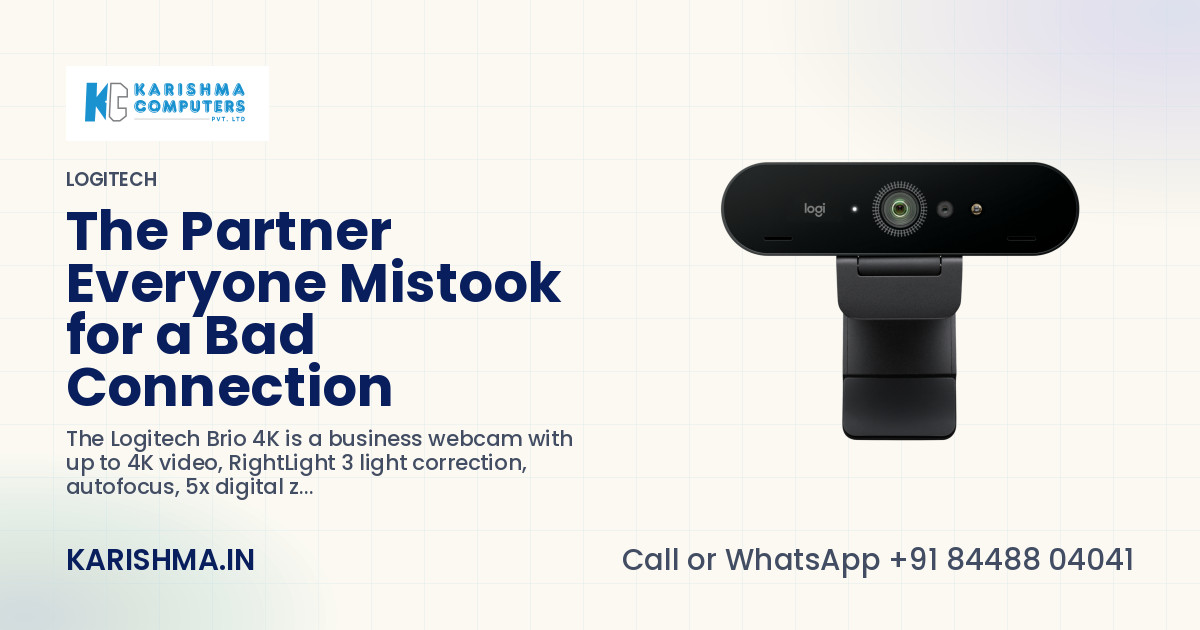
In short, the Logitech Brio 4K is a business webcam that records up to 4K video, with RightLight 3 automatic light correction, autofocus, 5x digital zoom and three field of view presets. Logitech's pages also list Windows Hello support, an attachable privacy shutter and certification for Microsoft Teams, Zoom and Google Meet. The story below is a composite scenario, not an account of any named customer, and every product figure comes from Logitech's own pages.
The partner who always looked like a bad connection
A chartered accountancy firm in Connaught Place had a partner who joined every client call from a laptop beside a tall window. By ten in the morning his face was a dark shape against a bright sky. Clients asked him, kindly, to check his internet.
He called the IT contractor. The contractor tested the line and found it fine. The firm upgraded the plan anyway, because a faster line was an answer that fitted in an invoice.
What it had cost by the third month
A ring light was bought next, and then returned, because it gave him a glare on his glasses and a second thing to switch on. In the meantime, two junior staff had started taking his client calls on his behalf. Nobody wrote that down as a decision.
The hours of the two juniors sat under client work. The extra internet plan sat under utilities. The partner's own time, spent repeating himself to clients who could not read his expression, sat under nothing at all. The picture was the problem, and no line in the books carried the word picture.
What the Logitech Brio 4K does about a window
Logitech lists RightLight 3 for the Logitech Brio 4K, an automatic light correction that works on the picture as it changes through the day. A desk beside a window is exactly the case it is described for. The camera also lists autofocus, so a face that leans in to read a figure on the screen stays sharp.
Video goes up to 4K, with a frame rate of up to 90 fps. A call application decides what it sends, so the camera's ceiling matters most where the application and the link can carry it.
Field of view on the Logitech Brio 4K
The webcam offers three diagonal field of view presets, 65°, 78° and 90°. Logitech's page describes the narrowest preset as the one for eye contact, which suits one person at one desk. The widest suits two people leaning in from either side. A 5x digital zoom, set through the Logi Tune app, lets a partner who sits further back fill the frame without moving the laptop.
Signing in, privacy and the office rollout
The Brio 4K supports Windows Hello, so a partner can look at the lens and sign in to a Windows laptop. Logitech's pages list an attachable privacy shutter that flips over the lens, which gives a firm that handles client accounts a plain answer when a client asks whether the camera is ever on.
A partner who travels between two offices gains a little more from this than a partner who never moves. The camera clips to a monitor or a laptop, so it can be moved from one desk to another in the time it takes to close a call, and the presets and colour choices stay with the Logi Tune settings on that laptop. A receptionist who sets up the meeting room before a client arrives then has one camera to think about, and a single place to look when the picture changes.
For a firm with more than a few desks, Logitech lists Logitech Sync for deploying and managing cameras across an office. The camera is certified for Microsoft Teams, Zoom and Google Meet, so it works in the call applications a client is likely to send.
The limits worth saying out loud
A webcam improves the picture, not the room. A face that sits against a bright window is easier to read with RightLight 3, but a desk turned a quarter away from the window is still the better fix. The camera does not clean up a noisy room or a slow link either. Windows Hello suits Windows laptops, and the colour and focus controls in Logi Tune are a separate app to install. Warranty terms are the brand's own.
Five checks before choosing a webcam for client calls
- Where does the light fall on the desk at the hour of the most important calls?
- Is it one face at one desk, or two people sharing a screen?
- Do the laptops sign in with Windows Hello today?
- Who will install and update Logi Tune, and across how many desks?
- Does a client ever ask whether the camera can be covered?
The range is on the Logitech brand page, the webcam has its own product page, and the figures above are on Logitech's India page for this webcam. Karishma Computers can confirm the current model and kit before an order.
What changed at the firm
In the scenario, the contractor suggests one test before another invoice. The partner's laptop gets a new camera, the desk is turned a quarter away from the window, and the narrow field of view is chosen. The next client call opens with a face, not a shadow. The two juniors go back to their own clients.
A call that looks like a bad connection is sometimes just a camera doing its best against a window.
Please ask Karishma Computers to confirm the current India model, configuration and availability before you order.
Questions and answers
What video quality does the Logitech Brio 4K offer?
Logitech lists video up to 4K for the Logitech Brio 4K, with a frame rate of up to 90 fps. The call application and the internet link decide what is actually sent, so the camera suits teams whose meeting software and connection can carry a higher resolution.
Does the Logitech Brio 4K cope with a bright window?
Logitech lists RightLight 3 automatic light correction for the Logitech Brio 4K, which adjusts the picture as light changes through the day. It helps a face seen against a window, though turning the desk a little away from the glass still gives the best picture.
What field of view can the Logitech Brio 4K show?
The Logitech Brio 4K offers three diagonal field of view presets: 65°, 78° and 90°. The narrow setting frames one person at one desk with good eye contact, and the wide setting suits two people sharing a screen. Logi Tune is the app used to change the setting.
Does the Logitech Brio 4K work with Windows Hello?
Yes, Logitech lists Windows Hello support for the Logitech Brio 4K, so a user can look into the lens to sign in to a compatible Windows laptop. It is a Windows feature, so a Mac laptop would use the webcam for calls but not for this sign in.
Does the Logitech Brio 4K have a privacy shutter?
Logitech lists an attachable privacy shutter with the Logitech Brio 4K. It flips up and down to cover the lens when the camera is not in use. For a firm that handles client accounts, it gives a simple and visible answer to a privacy question.
Which meeting applications is the Logitech Brio 4K certified for?
Logitech lists certification of the Logitech Brio 4K for Microsoft Teams, Zoom and Google Meet, and describes it as compatible with other popular meeting applications. For an office with several desks, Logitech Sync is the tool Logitech lists for deploying and managing the cameras.
What warranty does the Logitech Brio 4K carry?
Warranty terms for the Logitech Brio 4K are the brand's own. Karishma Computers can confirm the terms that apply to an India order, together with the current model and kit, before purchase, so the buyer knows exactly what arrives in the box and what the cover includes.
More from Logitech: all Logitech products · full product finder · request a quote
Not sure which fits?
Tell us what you need. Our team will help you choose and send a quote.
A note on the stories on this blog: some are illustrative scenarios written to explain an idea. They are not reports about named customers, and any likeness to a real business is a coincidence. Product details come from the brand's official India website, so the team confirms the current India model and configuration on an enquiry.