
What a Design Studio Learned About Colour When It Chose the Dell U2724D
In short The Dell U2724D is a 27 inch QHD IPS Black monitor. Dell lists 2560 x 1440, 120 Hz, a 2,000:1 contrast ratio, 100% sRGB and a 5-star eye comfort certification.
| Product | Dell UltraSharp 27 Monitor U2724D |
|---|---|
| Screen and resolution | 27 inch, 2560 x 1440 (QHD) |
| Panel | IPS Black, 2,000:1 contrast |
| Refresh rate | 120 Hz |
| Colour coverage | 100% sRGB, 100% BT.709 and 98% DCI-P3 |
| Eye comfort | 5-star TÜV Rheinland certification |
| Stand adjustments | tilt, swivel, pivot and height up to 150 mm |
| Brightness | 350 cd/m² |
| Ports | DisplayPort 1.4, HDMI, USB-C upstream (data only), three USB-A and one USB-C downstream (15 W) |
| Warranty | As listed by the brand on its official India page |
| Where to buy | Karishma Computers, Ashok Bhavan, 93 Nehru Place, 204, New Delhi. Call or WhatsApp +91 84488 04041, or request a quote. |
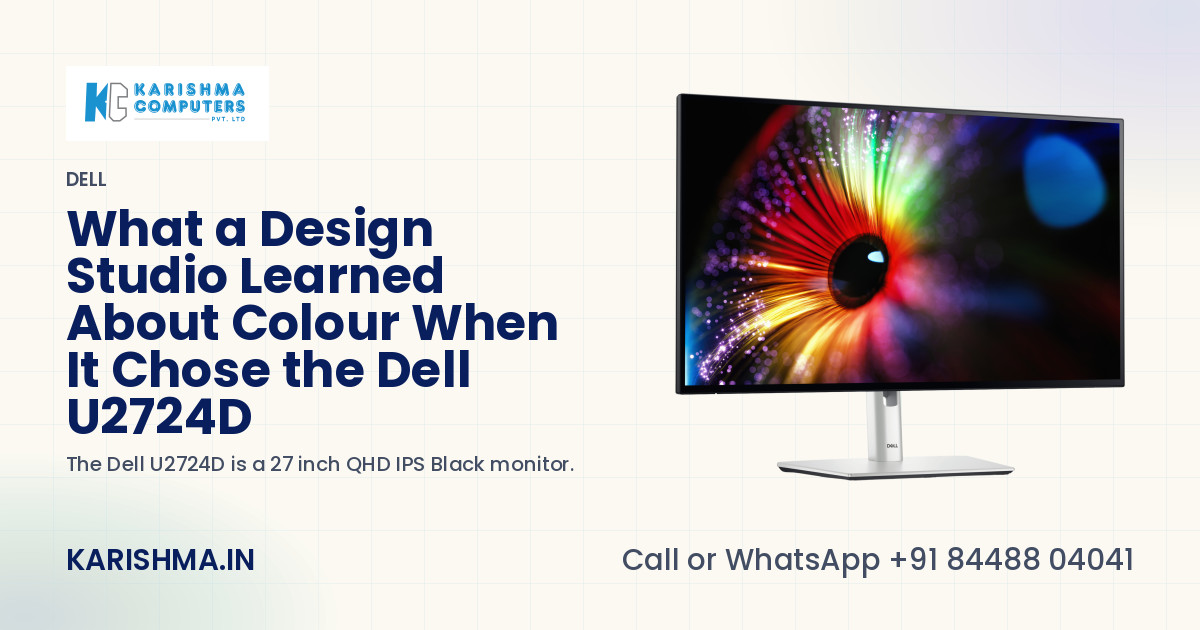
In short, the Dell U2724D is a 27 inch QHD monitor with an IPS Black panel, built for desks where colour and comfort both matter. Dell lists a 2560 x 1440 resolution, a 120 Hz refresh rate, a 2,000:1 contrast ratio and 100% sRGB coverage, and its data sheet describes a 5-star TÜV Rheinland eye comfort certification. The story below is a composite scenario, not an account of any named customer, and every product figure in the article comes from Dell's own pages.
The Saket studio that could not agree on a colour
A three-person architecture practice in Saket kept getting the same note from clients. The colour of a facade on the printed drawing did not match the colour on the screen at the presentation. The senior designer blamed the printer. The junior designer blamed the settings. The partner blamed both of them and ordered a fresh set of prints.
Three printing houses were tried, one after another. Each produced a slightly different result, which only confirmed the suspicion that printing was the problem. Another round of reprints went to the same clients.
Where the money was going
The reprints were billed to nobody. Each set was paid for by the practice, under stationery, and the time to prepare them sat under design hours. A revision round that should have been about a staircase became a conversation about the colour of a wall. The partner's hours, spent on the argument, sat under management.
The screens on the three desks had never been compared. Two were older panels from different years. One had been moved to a window where the afternoon sun washed it out. Three screens, three versions of the same wall, and every reprint was an attempt to match a colour that did not exist in the same form anywhere in the room.
What the Dell U2724D brings to a desk like that
Colour coverage is the first thing to look at. Dell lists 100% sRGB, 100% BT.709 and 98% DCI-P3 for the Dell U2724D. sRGB is the space most office work and the web use, and a screen that covers it fully gives a team the same starting point. The wider DCI-P3 figure matters for the practice's presentation slides and renderings.
The panel is IPS Black technology with a 2,000:1 contrast ratio, and Dell states a brightness of 350 cd/m². Deeper blacks are a gift when a render has a dark corner that needs to stay readable, and a monitor that holds its picture across a wide viewing angle helps when two people lean in from either side.
Dell's data sheet also describes Dell Color Management software, which works with a separate colorimeter sold on its own. A practice that cares about colour can calibrate every desk to the same reference, instead of trusting that three screens will agree.
Resolution and refresh on the Dell U2724D
The monitor runs at 2560 x 1440 on a 27 inch screen, a size that fits a full drawing and a palette side by side without scaling. The 120 Hz refresh rate makes scrolling and panning feel smoother, which tired eyes notice at the end of a day.
Connections for a shared desk
The monitor has DisplayPort 1.4, HDMI and a USB-C upstream port that carries data. Downstream it offers three USB-A ports and one USB-C port that supplies 15 W, enough to charge a phone while a laptop talks to the screen over a single cable. The upstream USB-C port carries data only, so a laptop still needs its own charger. That one detail decides whether a desk needs a second power brick.
The stand, the eyes and the limits
The stand tilts, swivels, pivots and adjusts in height by up to 150 mm. A drawing can be turned upright. Dell's page lists a 5 Star eye comfort rating, and the sensor that adjusts brightness to the room matters for a desk that sits beside a window.
Honest limits belong here. This is a monitor, not a laptop dock, so it does not power the laptop. It is a QHD screen, not a 4K one, and a team that needs a finer picture for very large drawings should look at a higher-resolution model. Dell's India page states a three year limited warranty, and warranty terms are the brand's own.
Five checks before choosing a monitor for colour work
- Do the desks agree on colour today, or has nobody compared them?
- Which colour space does the work end in: sRGB for screens, or something wider?
- Does the laptop charge through its own cable, or through the monitor?
- How close is the desk to a window, and how bright does the afternoon get?
- Who will calibrate the screens, and how often?
The range is on the Dell brand page, the monitor has its own product page, and every figure above is on Dell's India page for the monitor. Karishma Computers can confirm the current model and kit before an order.
What changed in the studio
In the scenario, the partner stops ordering reprints and asks for one afternoon. Each Dell U2724D is calibrated to the same reference, the window desk is turned away from the sun, and the next set of prints matches the screen the client saw. The argument about the wall colour never happens again.
A colour that the team cannot agree on is a measuring problem, and measuring is cheaper than printing.
Please ask Karishma Computers to confirm the current India model, configuration and availability before you order.
Questions and answers
What resolution and panel does the Dell U2724D have?
The Dell U2724D is a 27 inch monitor with a 2560 x 1440 (QHD) resolution and an IPS Black panel. Dell lists a 2,000:1 contrast ratio and a 120 Hz refresh rate, which suit design, finance and general office desks that need a sharp, steady picture.
How much colour does the Dell U2724D cover?
Dell lists 100% sRGB, 100% BT.709 and 98% DCI-P3 coverage for the Dell U2724D. sRGB is the space most office and web work ends in. The wider DCI-P3 figure matters for presentation slides, renderings and video work that uses a larger range of colours.
What ports does the Dell U2724D offer?
The Dell U2724D has DisplayPort 1.4, HDMI and a USB-C upstream port that carries data. Downstream it offers three USB-A ports and one USB-C port with 15 W. Because the upstream USB-C port carries data only, a connected laptop still needs its own charger.
Does the Dell U2724D charge a laptop?
No. Dell lists the upstream USB-C port of the Dell U2724D as data only, so it connects a laptop to the screen and its ports but does not charge it. The downstream USB-C port supplies 15 W, which suits a phone. A laptop keeps its own power adapter.
How adjustable is the stand of the Dell U2724D?
The stand tilts, swivels, pivots and adjusts in height by up to 150 mm. The pivot allows a drawing or a long document to be shown upright. Karishma Computers can confirm the mounting options available with the current India model before an order.
Is the Dell U2724D comfortable for long hours?
Dell's page lists a 5 Star eye comfort rating, and its data sheet describes a TÜV Rheinland 5-star certification with an ambient light sensor that adjusts brightness and colour temperature. A desk beside a window gains the most from that sensor on a bright afternoon.
What warranty does the Dell U2724D carry?
Dell's India page states a three year limited warranty for the Dell U2724D. Warranty terms are the brand's own, and Karishma Computers can confirm the terms that apply to an India order, together with the current model and kit, before purchase, so the buyer knows exactly what arrives and what it covers.
More from Dell: all Dell products · full product finder · request a quote
Not sure which fits?
Tell us what you need. Our team will help you choose and send a quote.
A note on the stories on this blog: some are illustrative scenarios written to explain an idea. They are not reports about named customers, and any likeness to a real business is a coincidence. Product details come from the brand's official India website, so the team confirms the current India model and configuration on an enquiry.