
Four Cables on Every Desk: What a Noida Support Team Learned from the Dell U2725QE
In short The Dell U2725QE is a 27 inch 4K Thunderbolt 4 hub monitor. Dell lists an IPS Black panel with 3,000:1 contrast, 120 Hz, power delivery up to 140 W EPR and 2.5GbE Ethernet.
| Product | Dell UltraSharp 27 4K Thunderbolt Hub Monitor U2725QE |
|---|---|
| Screen and resolution | 27 inch, 3840 x 2160 (4K UHD) |
| Panel | IPS Black, 3,000:1 contrast |
| Refresh rate | 120 Hz |
| Brightness | 450 cd/m² typical, 600 cd/m² HDR peak, VESA DisplayHDR 600 |
| Colour coverage | 100% sRGB, 100% BT.709, 99% DCI-P3, Delta E under 1.5 on average |
| Thunderbolt 4 | one upstream port with power delivery up to 140 W EPR, one downstream port at 15 W with daisy chaining |
| Network | RJ45 Ethernet, 2.5GbE |
| Other ports | HDMI 2.1, DisplayPort 1.4 in and out, USB-C 10 Gbps upstream for KVM, four USB-A 10 Gbps, one USB-A 10 Gbps with BC 1.2, two USB-C 10 Gbps downstream |
| Warranty | As listed by the brand on its official India page |
| Where to buy | Karishma Computers, Ashok Bhavan, 93 Nehru Place, 204, New Delhi. Call or WhatsApp +91 84488 04041, or request a quote. |
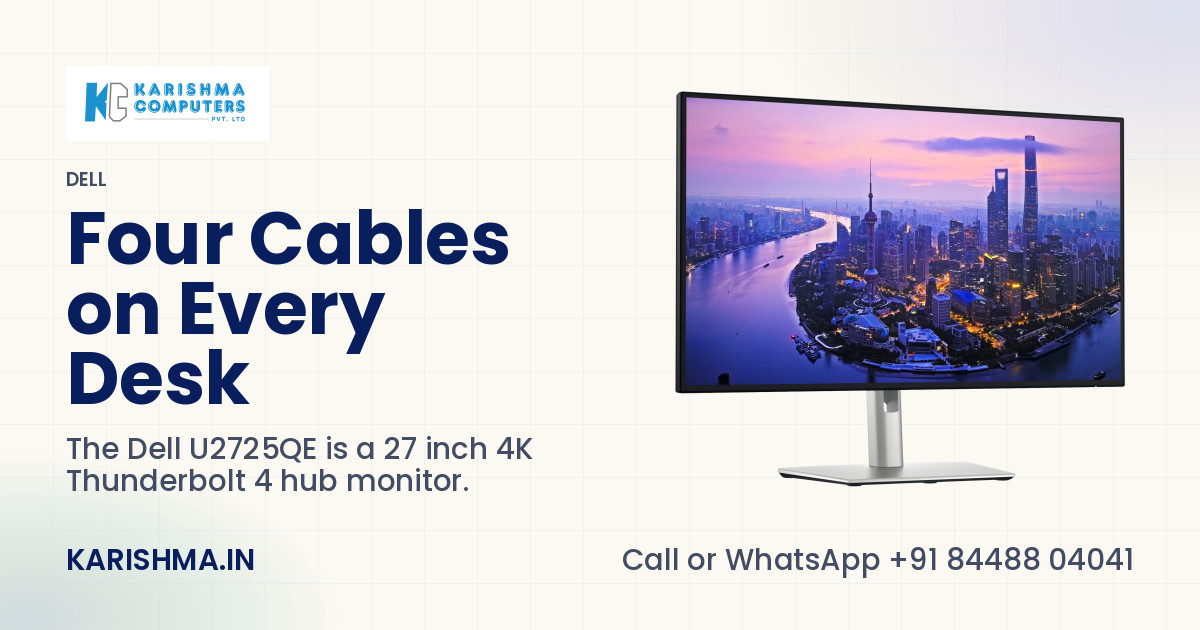
In short, the Dell U2725QE is a 27 inch 4K monitor that also works as a Thunderbolt 4 hub. One cable from the laptop carries the picture and the data, and Dell lists power delivery up to 140 W EPR on that same cable. The monitor adds 2.5GbE Ethernet and a row of USB ports, on an IPS Black panel with a 3,000:1 contrast ratio and a 120 Hz refresh rate. The story below is a composite scenario, not a customer account, and every product figure comes from Dell's own pages.
The Sector 62 desk with four cables
In a scenario set in Sector 62 Noida, a support team of twelve shares eight desks across two shifts. Each desk carries the same pile: a laptop charger, an HDMI lead, a USB hub and an Ethernet adapter on a short, fraying cable. By the second shift the pile is never quite as the first shift left it.
The team lead hears the same complaint every week. Video calls stutter. Shared files stall halfway. She asks the network engineer to look at the Wi-Fi, and the Wi-Fi turns out to be fine.
An earlier fix had been a dozen cheap docking adapters. Several dropped the screen whenever a laptop woke from sleep, and nobody could say which adapter belonged to which desk. Sending them back took a month.
Where the cost was sitting
The adapters were booked under consumables. The engineer's afternoons, spent chasing a Wi-Fi fault that never existed, were booked under infrastructure. The first ten minutes of every shift, when people hunted for the right cable, were booked nowhere at all.
One thing was true without any new equipment. A desk that is cabled the same way every day gets used the same way every day. Most of the stutter came from the loose adapter that someone had pulled halfway out.
What the Dell U2725QE changes on that desk
Dell lists a Thunderbolt 4 upstream port on the Dell U2725QE. One cable from the laptop to that port carries the picture and the data and charges the laptop, with power delivery up to 140 W EPR. The monitor's own RJ45 port then gives 2.5GbE Ethernet over that same cable, so the short Ethernet adapter leaves the desk.
Downstream, Dell lists four USB-A ports at 10 Gbps, one more USB-A port with BC 1.2 charging and two USB-C ports at 10 Gbps. A second Thunderbolt 4 port passes data on at 15 W and allows daisy chaining to another display. Video comes in through HDMI 2.1 or DisplayPort 1.4, and a DisplayPort output continues the chain.
Dell's data sheet adds that the Ethernet port supports PXE boot and Wake on LAN. For a team whose laptops are imaged or woken from a distance, that detail saves a walk to the desk.
Two computers on the Dell U2725QE
Dell lists a built-in KVM, picture-by-picture and picture-in-picture. A support agent can run the office laptop and a test machine side by side on one screen, and move between them with a single keyboard and mouse. The desk loses one monitor and gains some elbow room.
The screen and the eyes
The panel is 27 inch IPS Black at 3840 x 2160. Dell lists a 3,000:1 contrast ratio, 450 cd/m² typical brightness and 600 cd/m² at HDR peak, with VESA DisplayHDR 600. Coverage is 100% sRGB, 100% BT.709 and 99% DCI-P3, with a Delta E under 1.5 on average, so documents, dashboards and screenshots look the same on every desk that shares the model.
For long shifts, Dell lists ComfortView Plus and an ambient light sensor that adjusts brightness and colour temperature to the room. Its data sheet describes TÜV Rheinland 5-star certification. The stand moves up to 150 mm in height, tilts, swivels 45 degrees each way and pivots 90 degrees each way, so a tall chat window can sit beside a wide dashboard.
Honest limits
The monitor has no built-in speakers and no webcam, so video calls need a separate camera and a headset or the optional soundbar sold apart. The one-cable setup runs through the Thunderbolt 4 upstream port, so the laptop needs a matching port, and a laptop that draws more than the monitor supplies keeps its own charger.
A desk with no laptop to charge and no network cable to tidy gains little from a hub monitor. Dell's India page states a warranty of 3 Years Limited Hardware and Advanced Exchanged Service. Warranty terms are the brand's own.
Five checks before a hub monitor replaces a dock
- How many cables sit on the desk today, and which ones does the laptop really need?
- Does the laptop have a Thunderbolt 4 port, and what charger does it ship with?
- Is the Ethernet adapter a daily weak point?
- Do two computers share the desk, so that KVM saves a second monitor?
- Who buys the webcam and the headset?
The range is on the Dell brand page, the monitor has its own product page, and every figure above is on Dell's India page for the monitor. Karishma Computers can confirm the current model and kit before an order.
What changed on the desk
In the scenario, the team lead trials the Dell U2725QE on two desks for a week. Each shift plugs in one cable and starts work. The adapter drawer is emptied, the Wi-Fi gets its good name back, and the Monday complaint goes quiet.
A tidy cable is a small thing, and a shift runs on small things.
Please ask Karishma Computers to confirm the current India model, configuration and availability before you order.
Questions and answers
What does the Dell U2725QE do as a hub?
The Dell U2725QE has a Thunderbolt 4 upstream port that carries picture and data from a laptop and charges it. Dell also lists 2.5GbE Ethernet, four USB-A ports at 10 Gbps, two USB-C ports and a second Thunderbolt 4 port for daisy chaining. One cable from the laptop reaches all of them.
How much power can the Dell U2725QE send to a laptop?
Dell lists power delivery up to 140 W EPR on the Thunderbolt 4 upstream port of the Dell U2725QE. A laptop that needs more than the monitor supplies keeps its own charger. The charger rating printed on the laptop adapter shows which case applies to a given desk.
What screen does the Dell U2725QE have?
The Dell U2725QE has a 27 inch IPS Black panel at 3840 x 2160 with a 120 Hz refresh rate and a 3,000:1 contrast ratio. Dell lists 450 cd/m² typical brightness, VESA DisplayHDR 600, and 100% sRGB, 100% BT.709 and 99% DCI-P3 colour coverage. Its data sheet gives a Delta E under 1.5 on average, which suits shared desks that need matching colour.
Can the Dell U2725QE connect two computers?
Yes. Dell lists a built-in KVM switch, picture-by-picture and picture-in-picture on the Dell U2725QE. Two computers can share one screen, and one keyboard and mouse can move between them. Inputs include HDMI 2.1, DisplayPort 1.4 and the Thunderbolt 4 and USB-C upstream ports, so a work laptop and a test machine can stay connected together.
What is missing from the Dell U2725QE?
Dell lists no built-in speakers and no webcam on the Dell U2725QE. Video calls need a separate camera and a headset, and Dell sells an optional soundbar apart from the monitor. Karishma Computers can confirm the current model and kit before an order, so the buyer knows what arrives.
How adjustable is the stand of the Dell U2725QE?
The stand of the Dell U2725QE adjusts in height by up to 150 mm, tilts 5 degrees down to 21 degrees up, swivels 45 degrees each way and pivots 90 degrees each way. The pivot turns the screen upright for long documents or a tall chat window beside a wide dashboard.
What warranty does the Dell U2725QE carry?
Dell's India page states 3 Years Limited Hardware and Advanced Exchanged Service for the Dell U2725QE. Warranty terms are the brand's own, and Karishma Computers can confirm the terms that apply to an India order, together with the current model and kit, before purchase, so the buyer knows what the cover includes.
More from Dell: all Dell products · full product finder · request a quote
Not sure which fits?
Tell us what you need. Our team will help you choose and send a quote.
A note on the stories on this blog: some are illustrative scenarios written to explain an idea. They are not reports about named customers, and any likeness to a real business is a coincidence. Product details come from the brand's official India website, so the team confirms the current India model and configuration on an enquiry.