
Dell 32 Monitor P3223QE (4K USB-C Hub): Why Cluttered Desks Are No Longer Inevitable
In short The Dell 32 Monitor P3223QE offers 4K display, up to 90W USB-C power delivery and hub connectivity through one cable. Supplied by Karishma Computers in Delhi NCR.
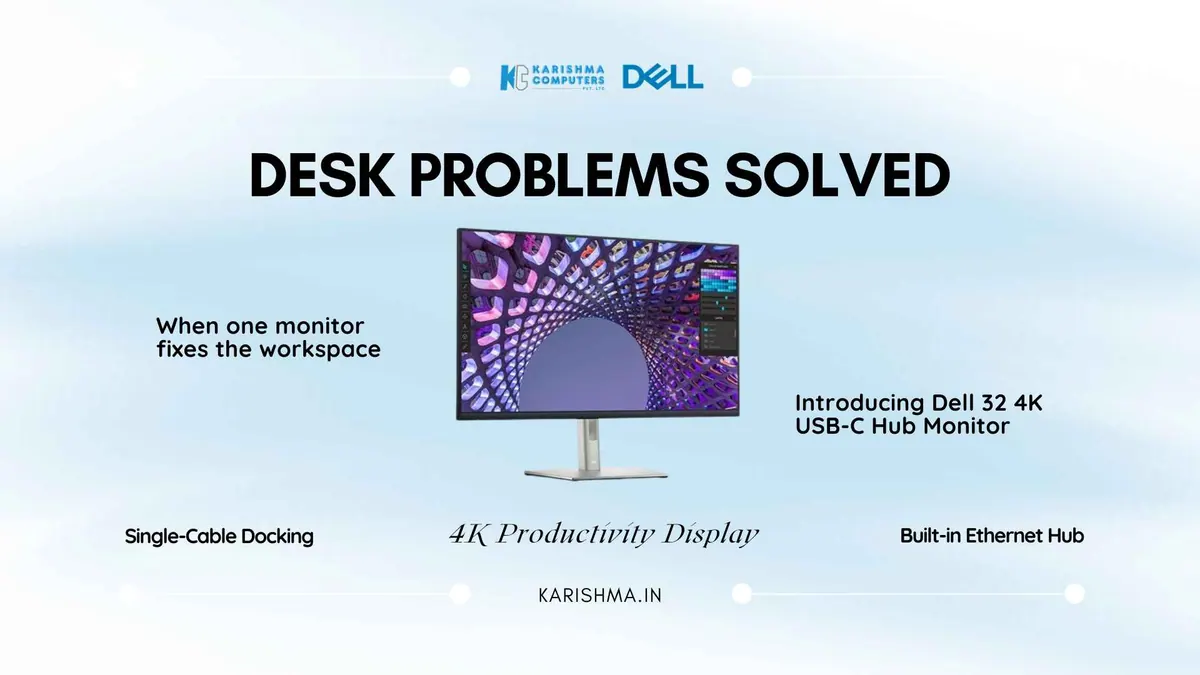
Designed to Simplify the Desk
The Dell 32 Monitor P3223QE (Dell’s 32 4K USB-C Hub Monitor) sits at the intersection of two things most workspace conversations treat separately: display quality and connection architecture. The P3223QE combines them. Dell India lists a 31.5-inch viewable IPS panel at 4K UHD (3840 x 2160, 60 Hz), 90 W USB-C power delivery, an RJ45 gigabit ethernet port, HDMI, DisplayPort 1.4 and four USB 3.2 Gen 1 downstream ports. One cable from a compatible laptop can bring display, charging, peripherals and wired ethernet together. Please confirm the exact configuration with us.
The Desk That Many Small Decisions Built
Desk setup decisions accumulate. A monitor purchased three years ago. A USB hub added when the laptop ports ran out. A separate ethernet adapter. A charging brick that stays plugged in. A webcam on a clip. Each of these was a reasonable decision at the time. Together they produce a desk with many cables to manage before work begins.
Picture an architecture office in Gurgaon where each desk carries several separate cable connections. A single monitor that brings display, power, peripherals and ethernet together is designed to reduce that routine.
One Cable, One Connection
A single USB-C cable from a compatible laptop connects to the monitor for display output, laptop charging at up to 90 W, downstream USB connectivity for peripherals and wired ethernet. Docking becomes a single motion.
Dell lists 90 W power delivery for the P3223QE. Charging speed depends on the laptop and the workload, so check your laptop’s power requirement.
The Hub Covers the Essentials
The integrated hub provides USB-C upstream with 90 W power delivery, four USB 3.2 Gen 1 downstream ports for peripherals, RJ45 gigabit ethernet for wired networking, HDMI and DisplayPort 1.4. Someone connecting a drawing tablet, an external storage drive and a keyboard can use the hub ports directly.
For organisations running hybrid work, the same cable arrangement can be used at the office and at home. The laptop arrives, connects once, and is ready to work.
What 32 Inches at 4K Means for Work
A 31.5-inch viewable 4K panel gives a large working area, which suits document review and side-by-side windows, for example an accounting team comparing spreadsheets.
Dell lists 99% sRGB coverage on the IPS panel, with response times of 8 ms (normal) and 5 ms (fast). Teams reviewing campaign assets, interface mockups or rendered material finishes can use it for standard sRGB work.
Portrait Mode for Long Documents
The P3223QE stand supports pivot from -90 to +90 degrees, so it can be used in portrait orientation. Some users like portrait for reading long documents, reviewing code files or editing long-form copy, where more of a page stays visible without scrolling.
Stand and Comfort Features
Dell lists a stand with height adjustment of 150 mm, tilt of -5 to +21 degrees, swivel of +/-30 degrees and pivot of -90 to +90 degrees. Dell also lists ComfortView Plus on this monitor, along with VESA 100 mounting and ENERGY STAR certification.
Who the P3223QE Is Designed For
The Dell 32 Monitor P3223QE suits professionals and organisations where USB-C laptops are standard issue. It works with laptops that support USB-C display output and power delivery; please check your laptop’s specification.
Organisations with a mix of USB-C and other laptops can also use the P3223QE, since HDMI and DisplayPort 1.4 inputs are available for other devices.
Dell India lists a 3-year limited warranty with next business day service for this monitor; please check the terms at purchase. Karishma Computers supplies Dell products in Delhi NCR. Dell India currently shows this monitor as unavailable (12 Oct 2026). Please ask us for availability.
FAQs
Can the Dell 32 Monitor P3223QE charge a compatible laptop?
Dell lists 90 W power delivery through the USB-C upstream port. Charging speed depends on the laptop and workload, so check your laptop’s power requirement.
Does the Dell P3223QE work with a compatible laptop through one cable?
A compatible laptop with USB-C display output and power delivery can connect with one USB-C cable for display, charging, USB peripherals and ethernet. Please check your laptop’s specification.
What is the response time on the P3223QE IPS panel?
Dell lists a response time of 8 ms (normal) and 5 ms (fast mode). The monitor is designed for productivity tasks such as video calls, document review and design work.
What stand adjustments does the Dell P3223QE offer?
Dell lists 150 mm height adjustment, tilt of -5 to +21 degrees, swivel of +/-30 degrees and pivot of -90 to +90 degrees. Please check that this range suits your desk and chair height.
Is the Dell P3223QE available now?
Dell India currently shows this monitor as unavailable (12 Oct 2026). Please ask us for availability.
This article uses an illustrative scenario. Names, figures and outcomes are examples, not customer results.
Keep reading
Not sure which fits?
Tell us what you need. Our team will help you choose and send a quote.