
Why the Logitech Z120 Speaker Pair Suits a Training Workstation
In short An illustrative look at how a simple desktop speaker pair can help a virtual training room that blamed participant attention spans.
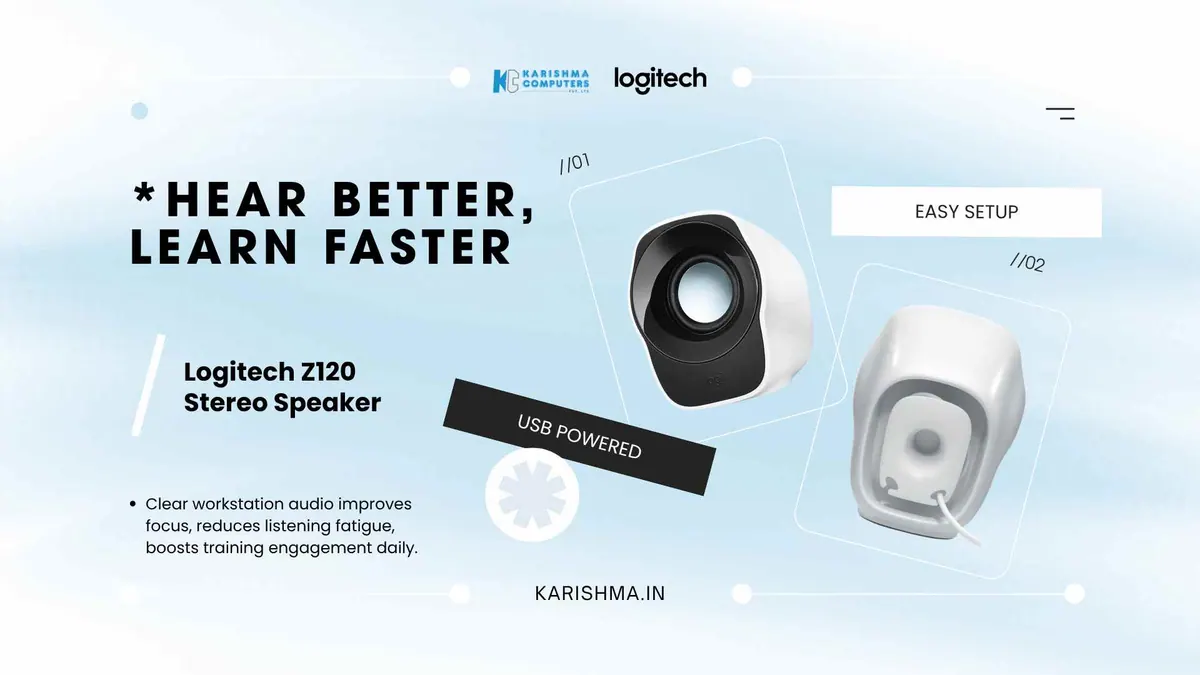
The Logitech Z120 speaker pair was nowhere in the conversation when a corporate training services firm operating from a leased floor in Noida Sector 62 spent the first half of last year convinced that its virtual training programmes were suffering from a participant engagement problem. The feedback forms after each batch carried the same low scores on a question about whether the session held attention. The training head adjusted the curriculum. She shortened the modules. She introduced regular breakout exercises. She invested in new visual aids. The engagement scores barely moved.
The problem was not the curriculum. The problem was that most of the workstations in the training room were running audio through the small built-in speakers of refurbished desktops, and the participants were straining to hear the recorded video lessons and the live trainer’s audio over the gentle hiss of an overhead air conditioner. They were not disengaged. They were tired from long stretches of unconscious listening effort.
What Corporate Training Setups Routinely Get Wrong
This is the misattribution that hides in plain sight. Engagement scores get treated as a content quality signal. They are sometimes a content quality signal. They are more often, in environments where the audio infrastructure has not been examined for years, a hearing fatigue signal. A participant who cannot quite hear what is being said expends mental energy on the listening itself. That energy comes out of the budget for actually engaging with the material.
The training head only discovered the problem when she sat in a participant chair for a full session and tried to follow the audio. She could hear it, but only just.
What the Logitech Z120 Speaker Pair Brings to a Workstation
The Z120 is a compact USB-powered speaker pair from Logitech. Its appeal is not in any single specification. Its appeal is that it is a simple way to give a workstation proper audio.
How the Logitech Z120 Speaker Pair Addresses the Headset Problem
One reason a workstation often lacks proper audio is the institutional belief that participants should wear headsets during training. Headsets have their own trade-offs. They isolate the participant from the room, which can work against the cohort dynamic that good training depends on, they can be uncomfortable over long sessions, and shared headsets need cleaning between batches. A desktop speaker pair avoids those issues, because the trainer’s voice and the recorded content reach the participant without a headset.
Why USB Power Matters More Than Wattage Numbers
Another reason a workstation often lacks proper audio is the cabling and power complexity of older speaker setups. Logitech lists the Z120 as USB-powered, with a 3.5 mm input for the audio signal. Power comes from a USB port, and audio comes in over the 3.5 mm cable, designed to keep the desk simple.
The Failed Furniture Investment
The training firm had spent earlier in the year on better chairs for the participant workstations, on the assumption that physical discomfort was contributing to the engagement drop. The chairs helped slightly. The chairs were not the missing piece. The audio was. This is the wrong turn that training organisations routinely take, where the visible elements of the room get upgraded before the inaudible problem at the centre of every desk.
Where the Real Cost of Bad Desktop Audio Was Hiding
The cost of weak desktop audio had not been appearing under any line item called audio infrastructure. It had been appearing in the training head’s reputation, because the engagement scores were on her report card, and in the firm’s client conversations, because corporate clients had noticed that participants came out of sessions tired. The firm had even considered paying premium rates for charismatic trainers on the assumption that personality was the missing ingredient.
In this scenario, adding a simple desktop speaker pair at each workstation made the audio easier to follow, and the engagement feedback improved in the following batches.
What Other Workstation Environments Might Get From the Same Device
The principle generalises to other everyday settings where built-in speakers are weak, such as a call centre running on built-in laptop speakers or a school computer lab where the back row cannot hear learning programmes. The Logitech Z120 is a compact desktop speaker pair, and it is one simple option for a workstation that needs more audio than a built-in speaker provides.
What the Same Speaker Does in a Reception-Area Context
A small accountancy office near Defence Colony deployed the Z120 at its single reception workstation. The change was specific. The receptionist had previously been struggling to hear callers on her speakerphone over the ambient hum of the office air conditioner. The built-in speaker had been just below the threshold of audibility. The Z120 brought the call audio cleanly into the room. The receptionist asked callers to repeat themselves less often.
A Standalone Observation
A pattern is visible across knowledge-work environments in Delhi NCR right now. The desktop computer is treated as a single object, when it is in fact a small system of input devices, output devices and the central processing unit. The output devices, particularly audio output, receive almost no attention because the desktop boots and the screen lights up and the assumption is that everything works. Audio works in the sense that sound emerges. It does not work in the sense that sound emerges at the quality required for the work being done. A simple speaker pair like the Z120 can help close that gap.
Karishma Computers supplies Logitech products in Delhi NCR, including for training rooms, call centres, school computer labs and small offices in Noida Sector 62, Okhla, Indirapuram, Faridabad and the corporate corridors of Gurgaon.
FAQs
Q1. What kind of workstation is the Logitech Z120 speaker pair designed for?
The Logitech Z120 speaker pair is designed for everyday desktop and laptop workstations where the user needs simple desktop audio for video calls, training content, reception-area playback or general productivity. It may suit training rooms, small offices, school computer labs and reception desks where the built-in speaker is not adequate.
Q2. How does the Z120 get its power?
Logitech lists the Z120 as USB-powered, with a 3.5 mm input for audio. Power comes from a USB port and the audio signal comes in over the 3.5 mm cable.
Q3. What is the Z120 designed for?
The Z120 is a compact USB-powered speaker pair designed for everyday desktop audio. It offers a simple audio step up from a built-in speaker.
Q4. Does the Z120 need driver installation?
Please check Logitech’s page for the Z120 for compatibility details with your computer and operating system, or ask us to confirm.
Q5. Can the Z120 replace a headset for training participants?
In some training contexts a desktop speaker pair can be used instead of headsets, but speakers are shared with the room. Headsets remain appropriate where individual privacy or one-on-one coaching is required.
Q6. Where can a Delhi NCR business purchase the Logitech Z120?
Karishma Computers supplies Logitech products in Delhi NCR. Please contact us to confirm the Z120 availability for your training facility, school lab or office in Noida, Gurgaon, Faridabad, Indirapuram and the surrounding regions.
This article uses an illustrative scenario. Names, figures and outcomes are examples, not customer results.
Keep reading
Not sure which fits?
Tell us what you need. Our team will help you choose and send a quote.