
Logitech Conference Camera Group
In short A large-room Logitech conference camera, Logitech GROUP, can help with muffled audio and unseen participants in Delhi NCR hybrid boardrooms and meeting spaces.
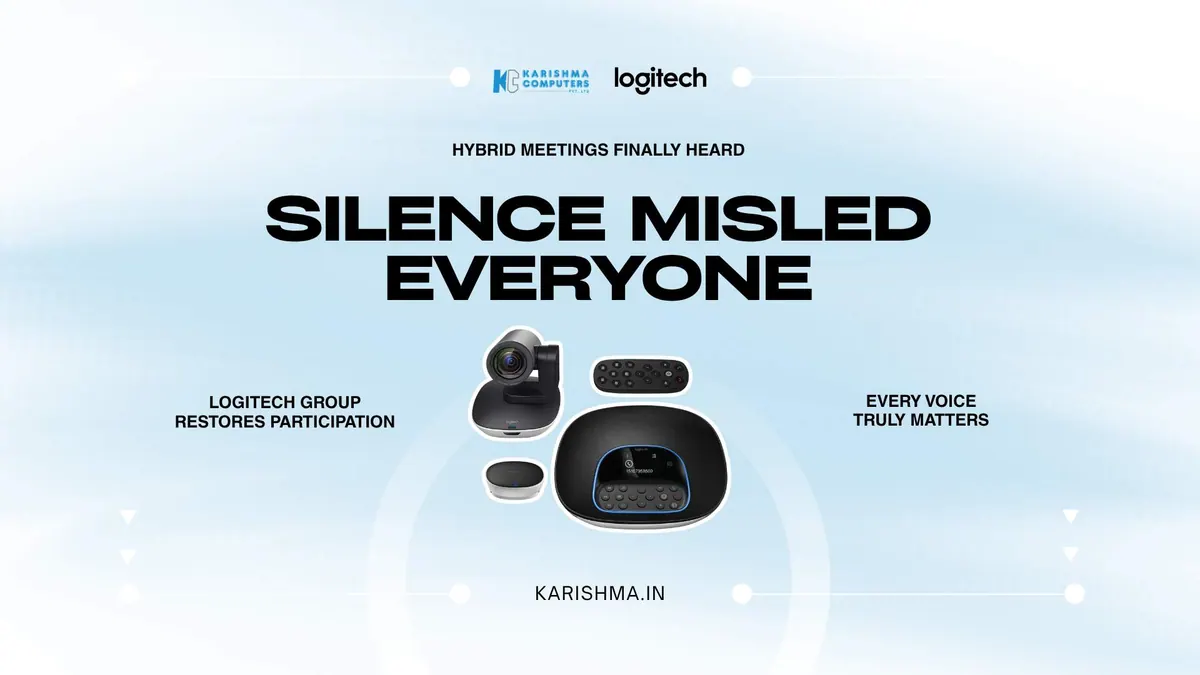
How a Logitech Conference Camera Can Help Meetings Blamed on the Remote Team
The Logitech conference camera and a meeting problem misread as remote-team disengagement
A professional-services firm in Cyber City spent a long time convinced its remote employees were disengaged. Colleagues joining boardroom meetings from home rarely contributed, missed cues, and seemed detached, so leadership treated it as a culture and engagement problem, running remote-inclusion workshops and revising meeting etiquette to draw the distant participants in.
The workshops changed nothing, because the remote team was not disengaged. They could barely hear. The boardroom used a laptop webcam and its built-in microphone, so voices from the far end of the table arrived muffled and the wide table was mostly out of frame. Remote participants could not follow who was speaking or catch half the discussion, so they went quiet. What looked like disengagement was simply people struggling to participate in a conversation they could not properly access.
This is where a Logitech conference camera changes the room. Logitech GROUP pairs a camera with a speakerphone and optional expansion microphones, designed to help everyone at the table be seen and heard in a large room. Once the boardroom moved to Logitech GROUP, the remote colleagues who had been labelled disengaged started contributing like the participants they always were.
What Logitech GROUP is designed to deliver in a large room
Logitech positions Logitech GROUP for rooms of roughly 14 to 20 seats, the kind of boardroom where a laptop webcam struggles. According to Logitech, pickup is 6 m, extending to 8.5 m with expansion microphones. Specifications can vary by region; please confirm the India variant with us.
The camera is listed with 10x lossless HD zoom, pan of +/-90 degrees and tilt of +35 degrees up and 45 degrees down. Logitech India lists Logitech GROUP as certified for Skype for Business and Microsoft Teams, and Zoom Certified.
Where the Logitech conference camera earns its place in the boardroom
The value can show up as inclusion. A hybrid meeting has two classes of attendee, those in the room and those on a screen, and the gap between them is created almost entirely by audio and framing. When remote participants can hear every voice and see the whole table, the two classes collapse into one meeting. That is the aim of a system like the GROUP: not better video for its own sake, but a room where physical presence matters less to being heard.
For an organisation running hybrid work across offices in Cyber City, Aerocity, and Noida, that inclusion is not a soft benefit. It is the difference between decisions made by the people in the room and decisions made by the whole team, which is a materially different quality of decision.
The cost hidden in the HR and attrition budget
The Cyber City firm was carrying a real cost and posting it to the wrong function. The perceived disengagement fed into performance conversations and into the firm’s worry about remote-work culture, so the response, inclusion workshops, engagement surveys, management time spent on a morale problem, was all charged to HR and culture. When a capable remote hire eventually left, feeling sidelined in meetings they could not hear, the exit was logged as a culture or fit issue.
A conference camera is a modest line on a facilities budget, and losing a good employee is one of the most expensive events an organisation absorbs. The two were connected, but no ledger connected them. When Logitech GROUP made remote participants fully audible and visible, the disengagement eased and the culture programmes lost their urgency. The benefit landed in HR and recruitment, functions that had never been part of an audio-visual decision.
Silence is a symptom, not always a choice
There is an observation here that reaches well past meeting rooms. Organisations tend to read silence as an attitude, disengagement, indifference, a lack of commitment, when very often silence is a symptom of a barrier the silent person is facing. Someone who cannot hear the discussion, cannot see the room, or cannot break into a fast-moving conversation goes quiet, and their quiet gets interpreted as a choice they never made.
Before treating silence as a character trait, it is worth asking whether the environment made speaking possible in the first place. A great deal of what passes for disengagement is really an access problem wearing the costume of an attitude problem. The organisations that get hybrid work right are the ones that fix the room before they question the person.
What a Logitech conference camera has to solve that a webcam never could
A laptop webcam and a conferencing system are not two grades of the same product; they solve different problems. A webcam is built for one person at arm’s length in good light. A meeting room is a large space with several people at varying distances, mixed lighting, and a conversation that moves around the table, and none of that is what a webcam is designed for. A Logitech conference camera is designed from the room outward, with audio pickup sized to the space and pan, tilt and 10x lossless HD zoom, which is a different design brief.
Audio is where the two diverge most sharply, and where hybrid meetings are usually won or lost. A webcam microphone captures the person nearest it and lets everyone else fade, so a remote participant hears the near end clearly and the far end as a murmur. Logitech GROUP’s speakerphone and optional expansion microphones are designed to help carry audio across a long table. Audio is often a major reason remote participants go quiet, so it is worth checking first.
Where a Logitech conference camera fits the real working day
Ease of use is not a soft benefit in conferencing; it is the difference between a system that gets used and one that becomes a source of meeting-start friction. Ask us how Logitech GROUP would be set up in your room.
Platform support is the other common friction. Logitech India lists Logitech GROUP as certified for Skype for Business and Microsoft Teams, and Zoom Certified. For an organisation running hybrid work across several rooms, using the same system in each room can make support simpler.
For boardrooms and meeting spaces across Cyber City, Aerocity, and the corporate corridors of Gurgaon and Noida, a Logitech conference camera can help remove a barrier that was quietly turning capable, committed people into spectators of their own meetings.
FAQs
Q1. What room size is Logitech GROUP designed for?
Logitech positions Logitech GROUP for rooms of roughly 14 to 20 seats, where a laptop webcam and built-in microphone struggle to cover the whole table. According to Logitech, pickup is 6 m, or 8.5 m with expansion microphones.
Q2. What camera movement and zoom does Logitech GROUP list?
Logitech lists 10x lossless HD zoom, pan of +/-90 degrees and tilt of +35 degrees up and 45 degrees down, designed to help frame a large table.
Q3. Is Logitech GROUP compatible with Teams and Zoom?
Logitech India lists Logitech GROUP as certified for Skype for Business and Microsoft Teams, and Zoom Certified. Please check any other platform with us.
Q4. Why does audio quality matter as much as video in meetings?
In hybrid meetings, poor audio can make it hard for remote participants to follow or contribute. Optional expansion microphones are designed to extend pickup across a larger table.
Q5. Does Logitech GROUP need a room assessment?
Installation needs depend on your room, so please ask us for a quick assessment before you decide.
Q6. Where can Delhi NCR businesses buy Logitech GROUP?
Karishma Computers is a Logitech Registered Dealer (LoRD) and supplies Logitech GROUP and expansion microphones in Delhi NCR. Logitech India lists Logitech GROUP under part number 960-001054. Please confirm the exact code with us.
This article uses an illustrative scenario. Names, figures and outcomes are examples, not customer results.
More from Logitech: all Logitech products · full product finder · request a quote
Keep reading
Not sure which fits?
Tell us what you need. Our team will help you choose and send a quote.
A note on the stories on this blog: some are illustrative scenarios written to explain an idea. They are not reports about named customers, and any likeness to a real business is a coincidence. Product details come from the brand's official India website, so please confirm the current India model, configuration and availability with us before you order.