Epson Colour Multifunction Printer AM c6000
In short A high-volume Epson colour multifunction printer, the AM-C6000, for busy Delhi NCR offices, with Epson Heat-Free inkjet technology.
How an Epson Colour Multifunction Printer Exposed a Cost the IT Budget Never Saw
The Epson colour multifunction printer and a facilities problem that was really a print problem
A mid-size consultancy in Gurgaon’s Cyber City spent a year fighting what it believed was an air-conditioning problem. The print room on the fourth floor ran hot, the HVAC struggled to keep the zone comfortable, and facilities kept requesting a supplementary cooling unit. The building manager treated it as a ventilation shortfall and budgeted accordingly.
The extra cooling was ordered and the room still ran hot. The team began to wonder whether the print fleet itself was part of the picture, since printing equipment uses energy and gives off heat. The diagnosis had been aimed at the building, when the printers deserved a look too.
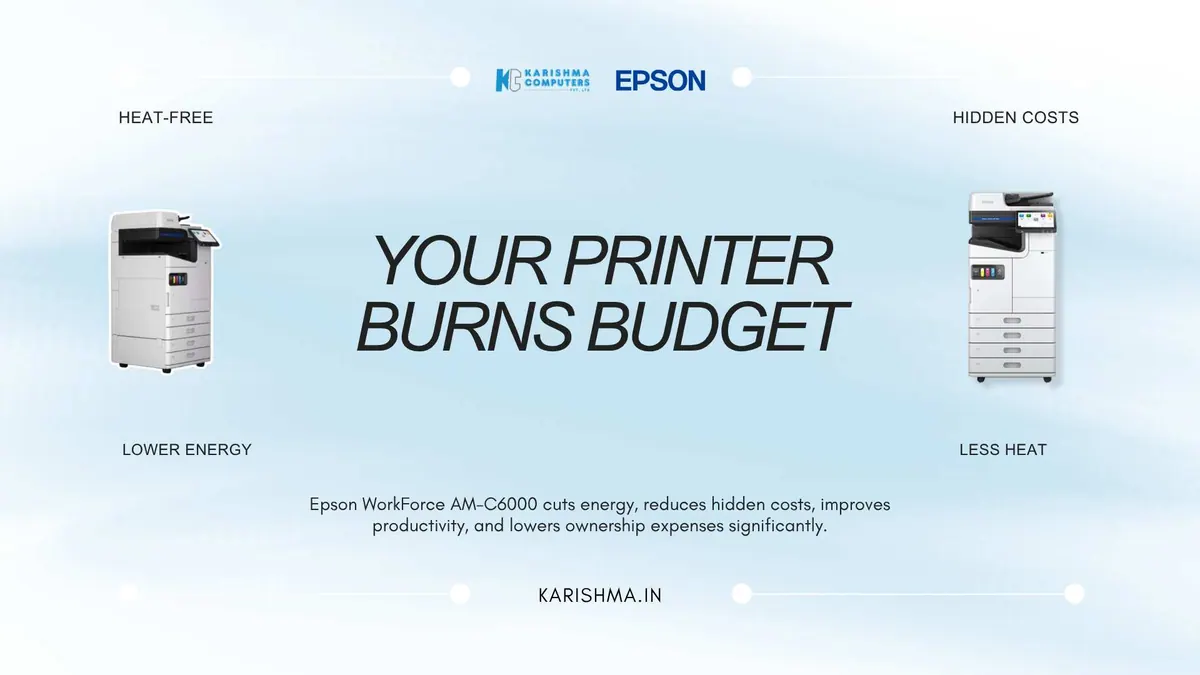
This is where an Epson colour multifunction printer enters the conversation. The WorkForce Enterprise AM-C6000 uses Epson’s Heat-Free PrecisionCore technology, which Epson describes as printing without warm-up heat, and Epson states it significantly reduces energy use.
What Heat-Free technology means for a high-volume office
The AM-C6000 is an A3 colour multifunction printer. Epson lists a print speed of 60 images per minute in duplex, and power consumption of 115 W operating, 46 W standby and 1 W in sleep mode (specifications can vary by model and region; please confirm the India variant with us).
Heat-Free printing matters to a finance director for a simple reason: Epson’s technology needs no warm-up heat, and the manufacturer says it reduces energy use. Please compare the published power figures against your current fleet.
Where the Epson colour multifunction printer fits
Cost per page is where the honest comparison happens. Please ask us for the consumables and running-cost details of the AM-C6000 and compare them with the printers you use today, including energy use, for your own monthly volumes.
The invoice that was filed under facilities
The Gurgaon consultancy in this scenario was paying a real bill and posting it to the wrong department. The supplementary cooling, the energy to run both the printers and the extra air-conditioning, the staff time lost to printer queues, all of it was being charged to facilities and utilities. None of it was attributed to the print fleet.
The IT and procurement teams looked at the print budget and saw a reasonable number, because part of the real cost was hiding inside the facilities ledger. This is the classic invisible invoice: a cost the equipment causes, absorbed by a budget that has no reason to question it.
Reading the true cost of a machine, not the sticker cost
There is a principle worth stating on its own. The full cost of a device is rarely visible in the budget line that carries its name. A printer’s true cost is scattered across energy bills, facilities requests, service contracts, and staff time, and because those costs live in other departments, the machine can appear cheaper than it is.
The businesses that manage cost well are the ones that trace a device’s real footprint across every ledger it touches rather than the one it is booked under. A printer is never only a printing cost. It is also an energy cost and a facilities cost.
The technology choice behind an Epson colour multifunction printer, explained plainly
An Epson colour multifunction printer built on Heat-Free technology is described by Epson as needing no warm-up heat, and the AM-C6000 page publishes its operating, standby and sleep power figures so you can compare them with the printers you use today.
Where an Epson colour multifunction printer fits a sustainability commitment
Many Indian organisations now carry environmental commitments that reach beyond a single department, and print is one of the most visible places those commitments are tested. Epson says Heat-Free technology significantly reduces energy use, and the published power figures give a starting point for a comparison. For a company reporting on its energy footprint, the right step is to compare the published numbers with the printers you use today.
For high-volume offices across Cyber City, Aerocity, and Noida Sector 62, an Epson colour multifunction printer is worth including in a total-cost comparison, because some of the costs of printing are paid outside the print budget.
Q1. What is Heat-Free technology in the Epson AM-C6000?
Heat-Free technology is Epson’s Heat-Free PrecisionCore inkjet technology, which Epson describes as printing without warm-up heat.
Q2. Is the AM-C6000 an inkjet or laser multifunction printer?
The WorkForce Enterprise AM-C6000 is a business inkjet multifunction printer from Epson.
Q3. How does the AM-C6000 relate to office running costs?
Epson states that Heat-Free technology significantly reduces energy use. Please ask us for the consumables and power details so you can compare running costs with your current printers.
Q4. Does the AM-C6000 print A3 and at what kind of speed?
Yes, it is an A3 colour multifunction printer. Epson lists 60 images per minute in duplex (specifications can vary by model and region; please confirm the India variant with us).
Q5. What does Epson say about energy use?
Epson India says Heat-Free technology requires no heat to warm up, which reduces energy consumption; the page lists 115 W operating, 46 W standby and 1 W sleep.
Q6. Where can Delhi NCR businesses buy the Epson AM-C6000?
Karishma Computers is an Epson Accredited Partner and supplies Epson products in Delhi NCR, including the WorkForce Enterprise AM-C6000.
This article uses an illustrative scenario. Names, figures and outcomes are examples, not customer results.
More from Epson: all Epson products · full product finder · request a quote
Related products
Keep reading
Not sure which fits?
Tell us what you need. Our team will help you choose and send a quote.
A note on the stories on this blog: some are illustrative scenarios written to explain an idea. They are not reports about named customers, and any likeness to a real business is a coincidence. Product details come from the brand's official India website, so the team confirms the current India model and configuration on an enquiry.