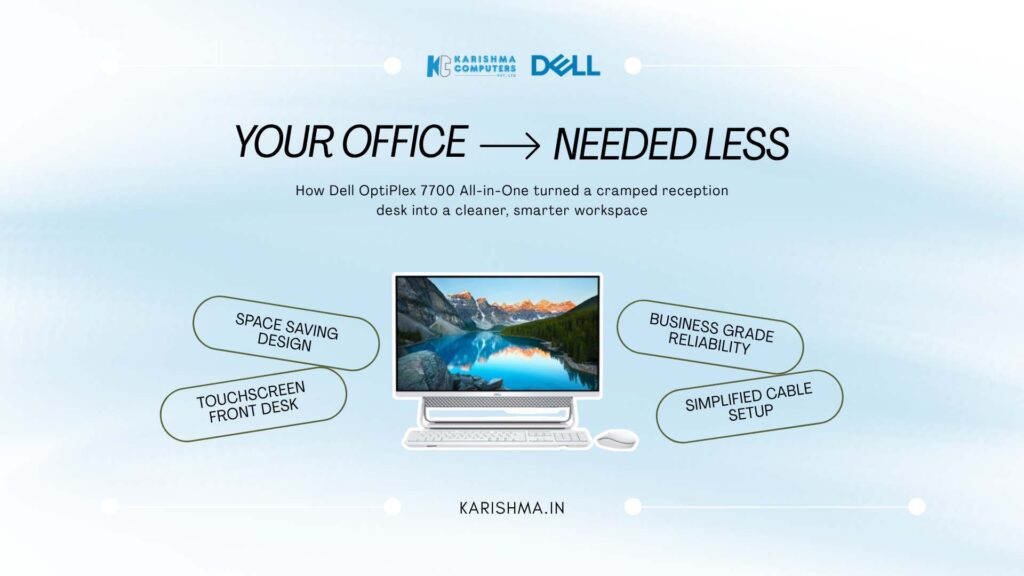
How a Dell All-in-One Desktop Solved a Space Problem Blamed on the Office Layout
The Dell all-in-one desktop and a space problem misread as a layout failure
A growing clinic in Defence Colony spent months convinced it had an office-layout problem. Reception felt cramped, staff were crowded around bulky tower PCs with monitors and cable tangles eating the counter, and the practice manager began pricing a renovation to expand the front desk, treating the crowding as a matter of square footage.
The renovation quote was substantial, and it would have solved the wrong problem, because the crowding was not really about floor space. It was about the footprint of the equipment on it, tower units under the desk, separate monitors on top, and a nest of cables consuming the surface where patients were meant to be greeted. The diagnosis blamed the room. The cause was the hardware filling it.
This is where a Dell all-in-one desktop reframes the whole situation. The OptiPlex 7700 folds the entire computer into the display, a touch-enabled all-in-one that removes the tower and most of the cabling in a single stroke, so a cramped counter becomes an open one without a wall being moved. Once the clinic replaced its tower setups with the OptiPlex 7700, the reception space that had seemed to need a renovation turned out to need only a change of equipment.
What an integrated touch desktop changes about a workspace
The OptiPlex 7700 is built on Dell’s clutter-free, design-forward philosophy. By integrating the computer into the screen, it eliminates the separate tower entirely and collapses the cabling to essentials, which frees the desk surface and calms the visual noise of a busy front office. For reception areas, clinics, and customer-facing counters where the desk is part of the impression a business makes, that clean footprint is a functional and a presentational benefit at once.
The touch display adds a further dimension. A touchscreen suits quick, tap-driven interactions, patient check-in, order lookup, form completion, where reaching for a mouse is slower than reaching for the screen. As a business-grade OptiPlex device, it is engineered for the reliability and manageability an organisation needs, with the enterprise stability that keeps a front-desk machine running through a full working day rather than becoming a support ticket at the worst moment.
Where the Dell all-in-one desktop fits a modern office
Manageability is where the business grade shows. The OptiPlex line is designed for IT to deploy, secure, and maintain at scale, so a clinic or office running several units gains central control rather than a collection of individually managed machines. That reduces the quiet ongoing cost of keeping desktops patched, secured, and running, which is where a surprising share of IT effort disappears.
The integrated form also simplifies everything around it. One unit to power, one unit to connect, one unit to move if the desk is rearranged, replacing the tower-plus-monitor-plus-cables arrangement that turns any desk change into an afternoon of untangling. For the compact offices and clinics of Defence Colony, Hauz Khas, and the commercial pockets of Gurgaon and Noida, that simplicity is the practical value the all-in-one form delivers.
The cost hidden in the facilities budget
The Defence Colony clinic was carrying a real cost and preparing to file it under the wrong heading entirely. The crowding was about to trigger a renovation, a capital facilities expense, when the actual driver was the desk footprint of the equipment. The renovation would have spent a large sum to house bulky hardware that a change of hardware would have made unnecessary, and the recurring cost of managing scattered tower units would have carried on regardless.
An all-in-one desktop is a modest line on an equipment budget, and an office renovation is a major capital outlay. The two were connected, but the clinic was about to solve an equipment problem with a construction project. When the OptiPlex 7700 cleared the counter, the renovation came off the table, the capital was preserved, and the space that seemed to demand more square footage simply appeared once the footprint of the hardware shrank. The saving lived in the facilities budget, which had never been part of a computing decision.
Solving the right layer of a problem
There is an observation here that applies to far more than office desks. When something feels too small, cramped, crowded, insufficient, the instinct is to add more of the resource that feels scarce, more space, more budget, more capacity. But scarcity is often not a shortage of the resource, it is inefficient use of the resource already present. The room was not too small; the equipment in it was too large.
Solving a problem at the wrong layer is how organisations spend large sums to fix things a small change would have resolved. Before adding more of a scarce resource, it is worth asking whether the existing resource is being used well, because the cheaper answer is frequently better use rather than more supply. The organisations that manage capital well are the ones that examine the footprint before they expand the floor.
What a Dell all-in-one desktop removes beyond the tower
The visible saving of an all-in-one is the tower, but the more valuable saving is everything the tower dragged along with it, the separate monitor, the power and video cabling between them, the floor or under-desk space the tower occupied, and the small daily friction of a workspace organised around a box. A Dell all-in-one desktop collapses all of that into a single unit on the desk, which is why it clears a counter that a tower setup crowds. The point is not tidiness for its own sake; it is the recovery of usable space and the removal of the setup that made the space feel scarce.
The touch display earns its place in specific, common workflows. For reception, check-in, order lookup, and form-driven tasks, a touchscreen is faster and more natural than a mouse, because the interaction is a tap on the thing being pointed at rather than a hand moving a cursor to it. In customer-facing settings that speed and directness also read as modern and capable, which matters when the desk is part of the impression a business makes. The touch capability is not a novelty here; it is a fit to the way front-desk work actually happens.
Why a business-grade Dell all-in-one desktop lowers ongoing cost
The OptiPlex line is Dell’s business family, and the business grade is where the ongoing savings live. A business-grade all-in-one is engineered for central deployment, security, and maintenance, so an organisation running several units gains one managed fleet rather than a collection of individually tended machines. The recurring cost of keeping desktops patched, secured, and running is where a large share of IT effort quietly disappears, and a device built to be managed at scale reclaims that effort. Reliability under a full working day means fewer support tickets at the worst possible moments.
The integrated form also simplifies every physical change around it. One unit to power, one to connect, one to move when a desk is rearranged, replaces the tower-plus-monitor-plus-cables arrangement that makes any layout change an untangling exercise. For a growing clinic or office that will reorganise its space more than once, that simplicity is a recurring convenience rather than a one-time benefit. A device that is easy to deploy, easy to manage, and easy to move is a device whose cost keeps falling after the purchase, which is the opposite of the tower setup it replaces and the reason the all-in-one form has become the sensible default for space-conscious, customer-facing work.
For reception desks, clinics, and customer-facing offices across Defence Colony, Hauz Khas, and the commercial districts of Gurgaon and Noida, a Dell all-in-one desktop is not merely a tidier computer. It is the removal of a space problem that a whole office was about to solve by spending on the wrong layer entirely.
FAQs
-
Q1. What is a Dell all-in-one desktop?
An all-in-one desktop integrates the computer into the display, so there is no separate tower unit. The Dell OptiPlex 7700 all-in-one folds the whole computer into a touch-enabled screen, which removes the tower and most cabling from the desk.
-
Q2. Is the OptiPlex 7700 a business-grade machine?
Yes. The OptiPlex line is Dell’s business desktop family, engineered for reliability, security, and central manageability at scale, which suits offices, clinics, and customer-facing counters that need dependable, easily maintained machines.
-
Q3. What is the benefit of a touchscreen all-in-one for reception or clinic use?
A touch display suits quick, tap-driven interactions such as patient check-in, order lookup, and form completion, where reaching for the screen is faster than using a mouse, while the integrated form keeps the counter clean and uncluttered.
-
Q4. How does an all-in-one desktop save office space?
By combining the computer, screen, and most cabling into a single unit, an all-in-one removes the tower and cable clutter that consume desk space. This frees the surface and reduces crowding without needing more floor area.
-
Q5. Is an all-in-one easier for IT to manage than tower PCs?
Business-grade all-in-ones like the OptiPlex 7700 are designed for centralised deployment, security, and maintenance, and the single-unit form means fewer components to connect, move, and service than a tower-plus-monitor setup.
-
Q6. Where can Delhi NCR businesses buy the Dell OptiPlex 7700 all-in-one?
Karishma Computers is an authorised Dell channel partner in Delhi NCR and supplies the OptiPlex 7700 all-in-one touch desktop with deployment and support for offices, clinics, and reception areas.