
The Problem with Large Rooms: Logitech GROUP and the Audio Gap Nobody Names
In short An illustrative scenario on microphone coverage in large Delhi NCR boardrooms, and what Logitech India publishes about Logitech GROUP.
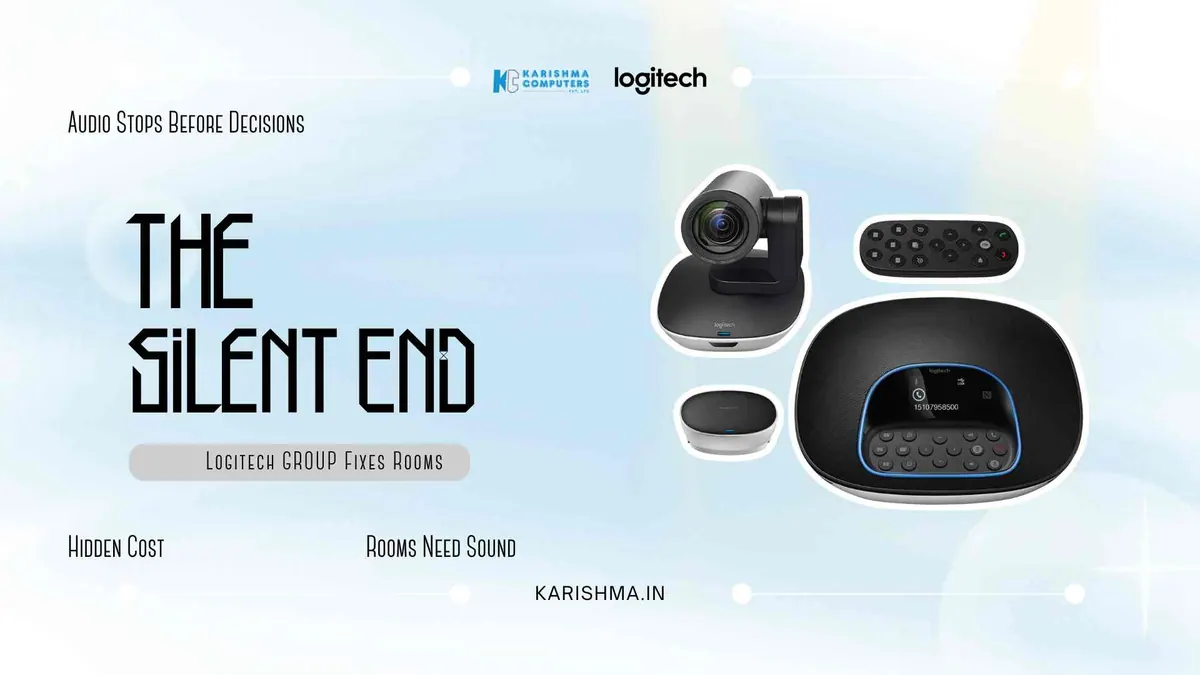
Many organisations discover the Logitech GROUP after an embarrassing incident rather than a planned hardware review. Imagine a law firm in DLF Cyber City, partners seated around a long conference table, a client call from Singapore that stalled halfway through because the partners at the far end of the table were functionally invisible to the microphone. The call was rescheduled. The stated reason on the follow-up email: connectivity issues. The actual reason: the room’s audio pickup ended well before the far end of the table.
The Wrong Diagnosis That Ran for Months
Before the hardware conversation started, the firm had tried something else. Two things, actually.
First, they upgraded the building’s fibre plan. Call quality on individual laptops improved. Conference room audio stayed exactly the same. Then someone suggested the problem was how the team was seated during calls. For months, partners quietly rearranged their seating before important client calls. A senior partner began dialling in separately from his own laptop while sitting in the same room, to ensure his voice would register on the far end.
The diagnosis running the organisation’s response was wrong from the beginning. The problem was never internet bandwidth, seating culture, or individual habits. The problem was a large room being served by a microphone that did not match it. No one had checked.
What the Invisible Invoice Actually Recorded
The cost of that misdiagnosis never appeared on a hardware budget. It appeared as follow-up emails after every major client call: apologies that audio was unclear on the firm’s end during the second half of the meeting. It appeared as rescheduled conversations. It appeared as decisions deferred because a critical voice from the far side of the table had not been heard clearly enough to act on.
In the firm’s records, none of this was labelled conference room hardware failure. It was absorbed into communication overhead, meeting management costs, and once, in an HR note, a reference to participation patterns in leadership calls.
That invisible invoice accumulated for months before anyone connected the audio gap to the physical dimensions of the conference room. The diagnosis changed entirely when the question shifted from who was not participating enough to where the microphone stopped working.
A Pattern That Repeats Across Delhi NCR Boardrooms
This is not an isolated case. A consistent observation across corporate buildings in Noida Sector 62, Faridabad, and Okhla tells a familiar story: mid-to-large conference rooms furnished to impress in square footage and display size, equipped with audio and video hardware designed for rooms a third of that scale.
The spend ratio is often inverted. A large boardroom receives a big display, premium seating, and acoustically treated wall panels. The conference camera and microphone cost a fraction of the display unit, and often the same unit that was already handling the organisation’s smaller meeting room. The room looks serious. It sounds unreliable.
This is not a technology literacy problem. It is a procurement habit rooted in what is visible. Display screens and furniture are visible. Audio coverage radius is not. Organisations budget for what they can see and tolerate what they cannot hear until a client call fails at the wrong moment. That observation holds independent of any hardware decision.
What the Logitech GROUP Was Built to Fix
The Logitech GROUP is positioned by Logitech for larger meeting rooms, with the manufacturer listing a room size of 14 to 20 people. It pairs a camera with a speakerphone, both designed for the physical challenges of a large room.
The camera is listed with 1080p video at 30 fps, a 90-degree field of view and 10x lossless HD zoom. Logitech India lists pan of +/-90 degrees, tilt of +35 degrees up and 45 degrees down, and 5 presets. Specifications can vary by model and region; please confirm the India variant with us.
The speakerphone is listed with four beamforming microphones and a 6 m pickup range, designed to help voices across a large table be heard.
Extending Coverage in Larger Rooms
Logitech lists optional expansion mics (8.5 m coverage) for larger rooms. Organisations frequently reconfigure the same conference space across a single week, so check the room size you need and ask us about the right microphone setup.
The Setup Detail That Determines the Outcome
One consistent observation from organisations that have deployed the Logitech GROUP across Gurgaon’s Cyber Hub, Connaught Place, and Nehru Place: the room itself needs to be assessed before the hardware arrives, not after.
Ceiling height, table length, ambient noise sources, and the position of the primary display all affect where the speakerphone and camera should be placed for optimal coverage. In older office configurations that include structural columns or partition walls near conference areas, standard positioning assumptions may not hold.
Logitech India lists the system as certified for Skype for Business and Microsoft Teams, and Zoom Certified. Please check other platforms with us. Room acoustics and camera sightlines call for a separate assessment, and an organisation that skips it can find that coverage is adequate rather than excellent.
What Changed After the Hardware Matched the Room
In the scenario, the firm deployed the Logitech GROUP across its conference rooms. The senior partner stopped logging in from his own device. The follow-up emails stopped. Meetings ran shorter, not because conversations became more efficient on their own, but because participants had stopped repeating themselves.
The conference room had always been treated as a cost centre. After the hardware addressed the actual problem, it functioned differently. The room was the same. The diagnosis, finally, was correct.
The question that organisations in Delhi NCR’s corporate buildings are increasingly asking is not whether to invest in conference room technology. It is why the technology budget for a room gets allocated based on what the display costs rather than what the room acoustically requires. The Logitech GROUP is worth evaluating against the months of workarounds that typically precede a purchase.
FAQs
Q1: What room size is Logitech GROUP designed for?
Logitech positions Logitech GROUP for larger rooms of 14 to 20 people, with four beamforming microphones and a 6 m pickup range. Logitech lists 8.5 m coverage with expansion mics. Please ask us which setup suits your room.
Q2: Is Logitech GROUP compatible with Microsoft Teams and Zoom?
Logitech India lists the system as certified for Skype for Business and Microsoft Teams, and Zoom Certified. Please check any other platform with us.
Q3: What microphones does Logitech GROUP list?
Logitech lists four beamforming microphones with a 6 m pickup range, extending to 8.5 m with expansion mics. Actual results depend on your room, so please ask us about a room assessment.
Q4: How should a room be prepared for Logitech GROUP?
Logitech lists 5 camera presets. We recommend assessing the room for placement before setup, to help get the best audio coverage. Please ask us to help.
Q5: What video quality does the Logitech GROUP camera deliver?
Logitech lists 1080p video at 30 fps, a 90-degree field of view and 10x lossless HD zoom, with pan of +/-90 degrees and tilt of +35 degrees up and 45 degrees down. Specifications can vary by model and region; please confirm the India variant with us.
Q6: Where can organisations in Delhi NCR purchase or evaluate Logitech GROUP?
Karishma Computers, a Logitech Registered Dealer (LoRD), supplies Logitech GROUP to businesses across Delhi NCR, including Gurgaon, Noida, Faridabad, and central Delhi. For organisations requiring room assessment before purchase, or multi-room deployment planning, Karishma provides pre-sale consultation through karishma.in.
This article uses an illustrative scenario. Names, figures and outcomes are examples, not customer results.
Keep reading
Not sure which fits?
Tell us what you need. Our team will help you choose and send a quote.