Zebra MC2200 Mobile Computer Warehouse Picking
In short An illustrative scenario on how an Android mobile computer such as the Zebra MC2200 can support warehouse picking in Delhi NCR.
Why the Zebra MC2200 Mobile Computer Belongs in a Mid-Sized Warehouse
The Zebra MC2200 mobile computer was nowhere in the conversation when an FMCG distribution operation, imagined here in a warehouse in Okhla Industrial Area, had spent years convinced that its night-shift pickers were the source of its dispatch error rate. What was in the conversation was a quarterly report showing that too many outbound cartons were reaching the wrong retailer or contained the wrong product mix. The general manager had run training sessions, replaced two team leaders and introduced a double-check sign-off at the dispatch dock. The error rate dropped briefly, then climbed back to where it had been.
The actual cause was not the people on the floor. It was what the picker had in hand, and what the picker could see while picking.
What Mid-Sized Warehouses Can Do for Picking Accuracy
The pickers were working from printed pick lists, with handheld scanners that captured the barcode of each item but did not display whether that scan matched what the pick list required. The scanner beeped, the picker assumed correctness, and the item went into the carton. If the wrong SKU had been pulled from a similar-looking carton on the adjacent shelf, nothing on the device could say so.
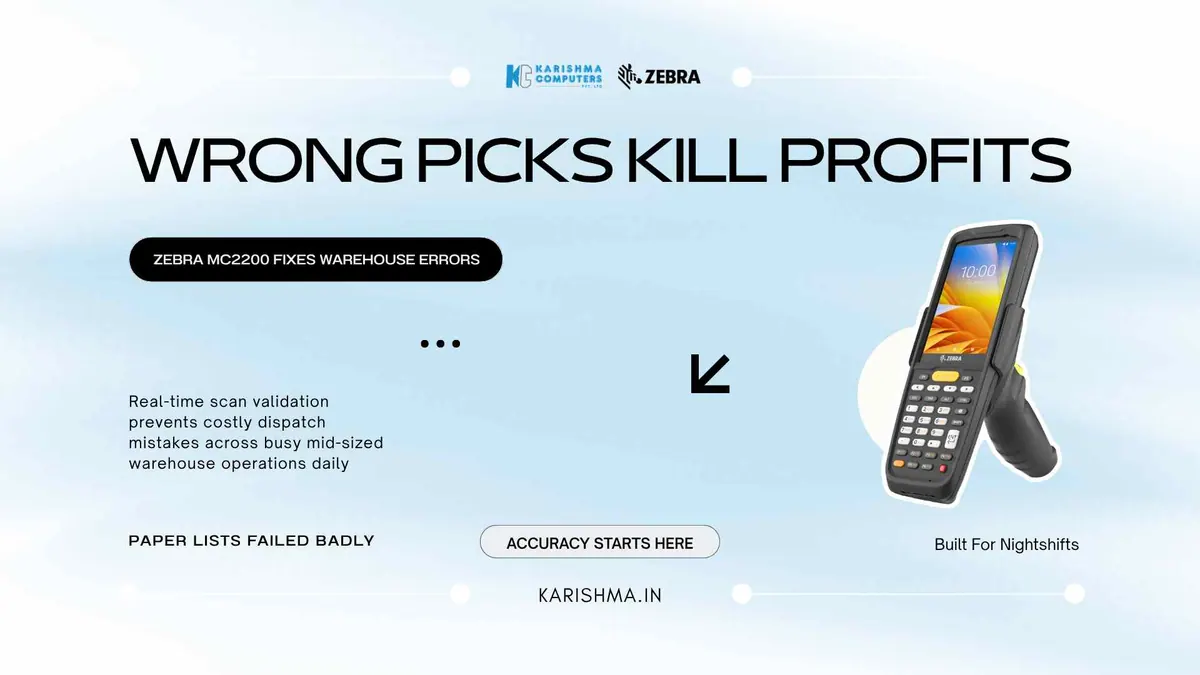
This is the point where a mobile computer such as the Zebra MC2200 comes in. It is a mobile computer that also scans, and the difference is practical: it lets the same device capture data and compare it against the expected answer in the same second.
What the Zebra MC2200 Mobile Computer Brings to a Warehouse Floor
The Zebra MC2200 is built on Android, so with a suitable warehouse application the pick list can live inside the device. When the picker scans an item, the screen can confirm whether that item matches the next line of the pick list, and a mismatch can produce a different audible cue and a screen prompt. How this works depends on your warehouse management system or app.
How the Zebra MC2200 Mobile Computer Handles Multi-Step Picking
Multi-step picking is where a mobile computer adds value. Depending on your WMS or picking app, the device can show the bin location and the quantity for each line, and confirm each scan against the running total. The picker no longer carries a printed sheet that has to be cross-referenced separately.
Why the Display Matters as Much as the Scan Engine
Zebra lists a 4-inch WVGA display on the MC2200. The display gives the warehouse supervisor a real instrument of control, as your software can push reprioritised orders and stock location updates to the device.
Bringing the Pick List Into the Picker’s Hand
The distribution firm in the scenario had first invested in a more advanced warehouse management system, upgrading from a spreadsheet-based pick list to a proper WMS module within its accounting software. The error rate barely moved. The WMS was producing better pick lists, but they were still printed on paper and handed to pickers. The intelligence was on the manager’s screen. The next step was to bring it into the picker’s hand.
Where the Dispatch Errors Were Actually Being Paid For
In the scenario, the cost of the picking errors was not appearing under any line item called warehouse losses. It was appearing in the returns processing team, in the customer relationship manager’s calendar, spent on apologetic calls to retailers about wrong deliveries, and in the credit notes issued, which the finance head had started raising at monthly reviews without anyone connecting them to the paper pick lists in the warehouse aisle.
Moving the pick list into the picker’s hand aims to address that gap: returns processing can come down, and the customer relationship manager gets time back.
Comparing the Cost of the Device With Your Own Error Costs
A useful calculation is placing the cost of returns processing labour and credit notes next to the cost of the device. Ask us for current pricing and compare it with your own error costs.
Why the Battery and Charging Matter
Warehouses run on shifts. Zebra lists Warm Swap on the MC2200, which lets you change the battery without a full shutdown. Charging cradles are available; please ask us which suit your shifts.
What Procurement Teams Should Check in the Specification Sheet
A procurement team looking at the Zebra MC2200 can check processor speed, memory and scan rate, along with the Warm Swap battery, Zebra’s Mobility DNA tools for managing a fleet (such as StageNow, DataWedge and EMDK), the IP65 sealing, and the cradle options. Zebra’s specification sheet lists IP65, 1.52 m (5 ft) drops and 500 tumbles. Specifications can vary by model and region; please confirm the India variant with us.
What the Floor Gains
Across Delhi NCR’s distribution and retail operations, owners are investing in software to plan better, and the next step is giving the people doing the work a device that brings that software into their hand. The Zebra MC2200 is built for reliable data capture where conditions are demanding, and it brings the software to the picker, not just the supervisor’s monitor.
Karishma Computers supplies Zebra products in Delhi NCR, across Okhla, Faridabad, Bhiwadi and the logistics corridors around Noida and Greater Noida. See the Zebra MC2200 page for the published specifications. Planning a handheld setup for your warehouse? Tell us how your picking works and we will help you shortlist; please ask us for current pricing.
FAQs
Q1. What makes the Zebra MC2200 mobile computer different from a barcode scanner?
A barcode scanner captures data. The Zebra MC2200 mobile computer runs Android, so with a suitable app it can also show the day’s pick list or work order on its own display and help the operator check whether the item just scanned matches the expected line.
Q2. Is the MC2200 suitable for a mid-sized warehouse rather than a large enterprise?
It can be. Zebra lists the MC2200 as a handheld mobile computer for warehouse and retail use. Ask us for current pricing and whether it suits your volumes and software.
Q3. How rugged is the MC2200 in real warehouse conditions?
Zebra’s specification sheet lists IP65 sealing, 1.52 m (5 ft) drops and 500 tumbles for the MC2200. Specifications can vary by model and region; please confirm the India variant with us.
Q4. Can the MC2200 work with an existing warehouse management system?
The device runs on Android (Zebra lists Android 11) and uses Zebra’s Mobility DNA tools (such as StageNow, DataWedge and EMDK). Whether it works with your existing WMS depends on that software, so please check compatibility with your WMS vendor and with us before purchase.
Q5. Where can a business in Delhi NCR purchase the Zebra MC2200?
Karishma Computers supplies Zebra products in Delhi NCR, across Okhla, Faridabad, Bhiwadi, Noida and the surrounding logistics corridors. Please confirm the exact model and availability with us.
Q6. Does the MC2200 require a separate scanner module?
No. Zebra lists an integrated SE4100 1D/2D imager, so the scanner and the computer are a single device. Please confirm the India variant with us.
This article uses an illustrative scenario. Names, figures and outcomes are examples, not customer results.
Keep reading
Not sure which fits?
Tell us what you need. Our team will help you choose and send a quote.