How a Zebra Desktop Barcode Printer Ended a Warehouse's Hidden Reprint Problem
In short An illustrative scenario on how a Zebra desktop barcode printer can suit warehouse and retail label printing in Delhi NCR. Please confirm the exact model.
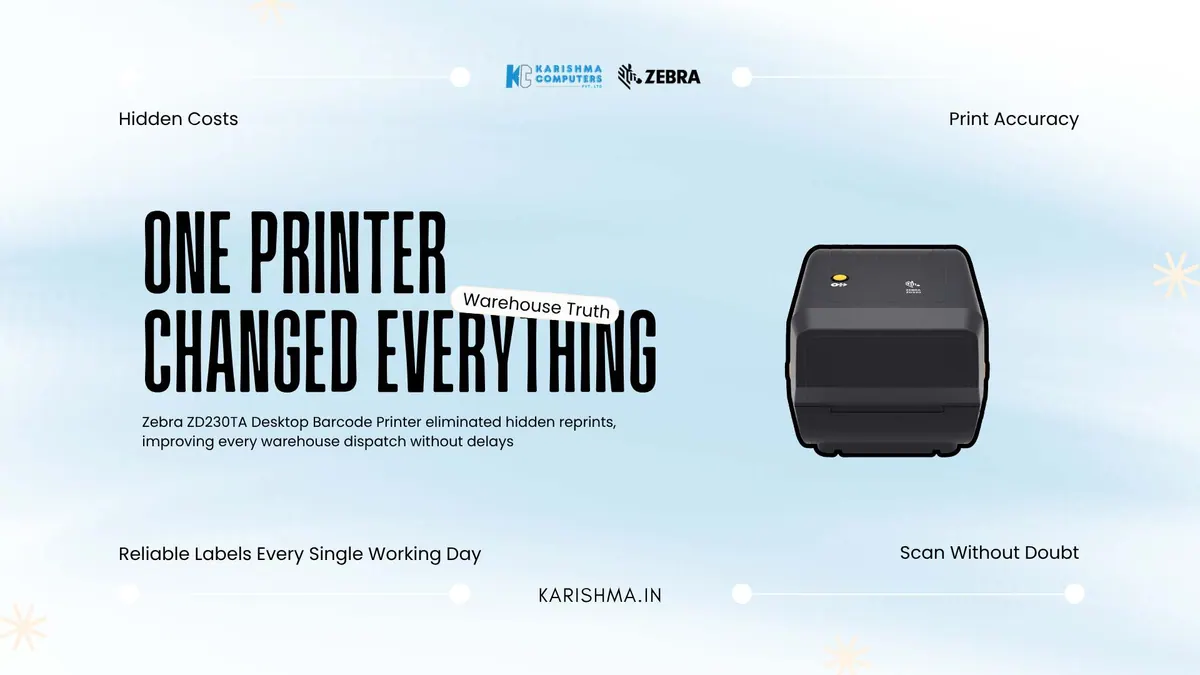
When the Zebra desktop barcode printer replaced a diagnosis that was wrong
Imagine a third-party logistics operator in Okhla Industrial Estate that spent most of a financial year convinced it had a staffing problem. Dispatch was slow. Labels came off the printer smudged or faint, scanners at the loading bay rejected them, and shipments backed up during the evening cut-off. The floor supervisor kept asking for two more hands per shift. Management ran a retraining programme on scanning discipline, assuming the operators were careless.
The retraining changed nothing. Rejects stayed high, and the queues at the bay continued. The problem was never the people. It was a tired desktop printer laying down barcodes at inconsistent density, producing bars that a scanner could read on a good day and refuse on a humid one. The correct diagnosis arrived only after a courier’s own handheld flagged the labels as low-grade at pickup.
That reframe is where the Zebra ZD230TA enters. A Zebra desktop barcode printer using thermal transfer ribbon can give consistent bar edges, which matters in a shed where temperature and humidity swing. The retraining had been treating a symptom. Zebra lists the ZD230TA as a thermal transfer, 4-inch wide model in its ZD200 series; please confirm the India configuration with us.
What 203 dpi thermal transfer offers a dispatch operation
The ZD230TA is a thermal transfer model in Zebra’s ZD200 series. Thermal transfer means the print head melts ribbon onto the label rather than reacting with heat-sensitive stock, which gives a more durable print than direct thermal. For shipping labels, asset tags, and compliance marks that must still scan weeks later, durability matters.
Zebra lists 203 dpi print resolution for this model. For print speed and other figures, please ask us and confirm the India configuration. Check which resolution suits your label sizes and barcode types.
Why the Zebra desktop barcode printer earns its place on the counter
For a distributor supporting multiple sites across Delhi NCR, remote manageability is useful. Zebra’s Asia-Pacific product page lists compatibility with Zebra DNA software; please ask us what that covers for your model and confirm the India configuration.
Please confirm the interfaces for your exact model with us.
The invoice nobody was reading
In this scenario, the operator had a real cost hiding in plain sight, and it was not the people. Every rejected label meant a re-scan, and enough re-scans per shift meant the evening cut-off slipped. Slipped cut-offs meant missed courier pickups. That cost landed in the customer-service budget as complaint handling and in the sales team’s numbers as churn among small clients.
Nobody had billed that churn to a barcode printer. It was attributed to competitive pricing, to courier companies, to the market. Once label quality was stabilised, rejects fell and the cut-off held.
Reading a barcode failure correctly
When a business sees a downstream failure it cannot explain, the instinct is to look at the people closest to the failure. The operators. The dispatch team. The counter staff. It is worth checking the equipment too.
A barcode is a promise that a scan will succeed. When that promise degrades, every process built on top of it degrades too, and the degradation shows up wearing a costume, as a training issue, a discipline issue, a market issue. The organisations that stay efficient are the ones that learn to check the machine before they blame the hand.
Reading the specification that decides reliability in a Zebra desktop barcode printer
The temptation in this category is to compare printers on price and print speed alone, because those are the two numbers a quotation makes visible. Print-head life and total running cost also matter; ask us about them for your model.
Media handling is the second factor. Thermal transfer printing depends on the correct pairing of ribbon and label stock, and a mismatched pairing can produce faint or over-inked labels. Use ribbon and labels recommended by Zebra for your printer.
Fitting a Zebra desktop barcode printer into an existing workflow
Integration risk is where many equipment upgrades stall, because a new device that demands a networking project or a label-template rebuild carries a cost beyond its purchase price. Before buying, check the ZD230TA against your existing label formats and point-of-sale or warehouse system, and confirm the interfaces and label languages for your exact model with us.
There is also the question of standardisation across sites. A distributor or multi-branch retailer can gain an operational advantage by running the same Zebra desktop barcode printer across locations, because a standard device means one set of drivers, one media specification and one support process.
For counters and dispatch benches across Connaught Place retail, Nehru Place trade, and the logistics sheds of Okhla and Bhiwadi, a suitable Zebra desktop barcode printer is worth evaluating before a courier’s scanner points out the problem.
FAQs
Q1. Is the Zebra ZD230TA a thermal transfer or direct thermal printer?
The ZD230TA is a thermal transfer model in Zebra’s ZD200 series. Thermal transfer uses ribbon to melt ink onto the label, which gives a durable print for labels that must still scan weeks later. Please confirm the India configuration with us.
Q2. What print resolution does the ZD230TA offer and is 203 dpi enough?
Zebra lists 203 dpi for this model, which suits many shipping and asset labels. Which resolution suits you depends on your label size and barcode type; ask us to help you choose, and please confirm the India configuration.
Q3. How fast does the Zebra ZD230TA print?
Please ask us for the print speed of the India configuration of the ZD230TA, and we will confirm it against Zebra’s published information.
Q4. Can the printer be managed remotely across multiple sites?
Zebra’s Asia-Pacific product page lists compatibility with Zebra DNA software. Please ask us what that covers for your exact model, and confirm the India configuration with us.
Q5. What connectivity and label languages does the ZD230TA support?
Please confirm the interfaces and label languages for your exact model with us.
Q6. Where can businesses in Delhi NCR buy the Zebra ZD230TA?
Karishma Computers supplies Zebra products in Delhi NCR, including printers, ribbons and media. Please confirm the exact model with us.
This article uses an illustrative scenario. Names, figures and outcomes are examples, not customer results.
More from Zebra: all Zebra products · full product finder · request a quote
Keep reading
Not sure which fits?
Tell us what you need. Our team will help you choose and send a quote.
A note on the stories on this blog: some are illustrative scenarios written to explain an idea. They are not reports about named customers, and any likeness to a real business is a coincidence. Product details come from the brand's official India website, so the team confirms the current India model and configuration on an enquiry.