Zebra Wristband Printer ZD510-HC
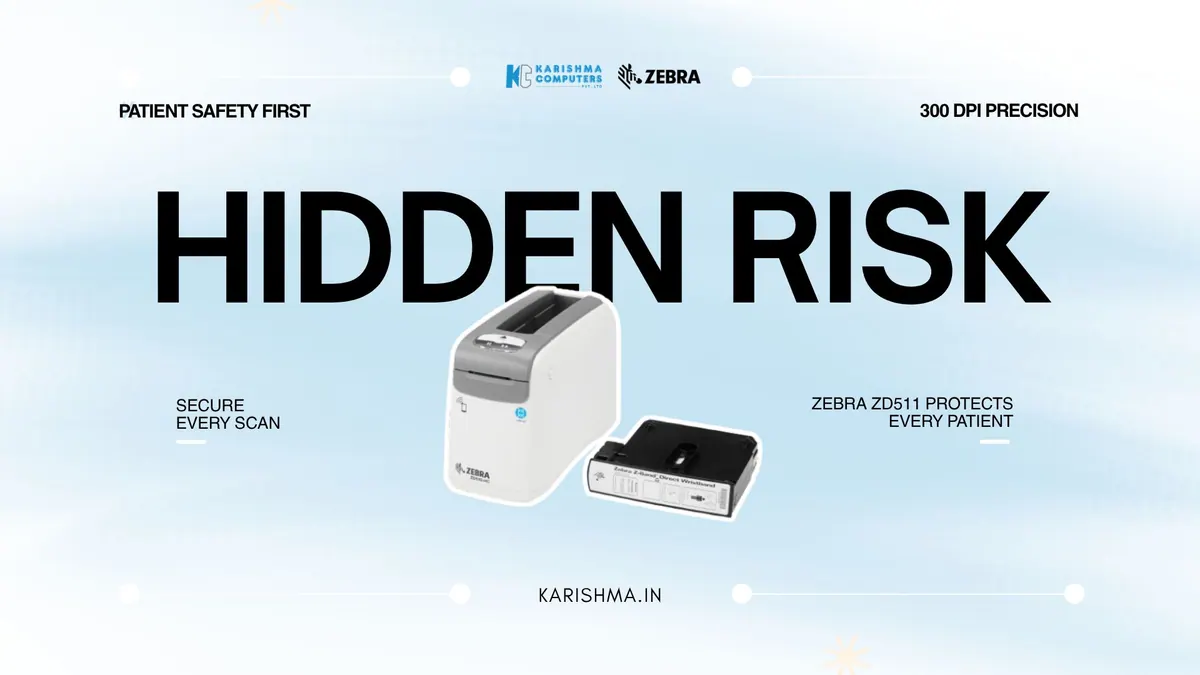
In short An illustrative look at a Zebra 300 dpi wristband printer for hospital admissions in Delhi NCR. Please confirm the exact model with us.
How a Zebra Wristband Printer Can Help With Unreadable Patient Bands
Unreadable wristbands misread as a staff problem
Imagine a mid-tier private hospital in Vasant Kunj treating a recurring problem as a nursing discipline issue. Patient wristbands were coming loose, smudging, or turning unreadable, and when a ward scanner could not read a band, staff fell back to reading it by eye or checking a chart. The response was more training on the medication-checking protocol.
The additional training did not fix the root cause, because the cause was wristbands that could not be scanned, which forced the manual verification the barcode system existed to reduce. Every unreadable band pushed a nurse back to a visual check. The diagnosis had blamed the nurses. The cause was the band.
This is where a Zebra wristband printer belongs in the conversation. Zebra lists the ZD510-HC as a 300 dpi desktop wristband printer, used with Zebra Z-Band wristbands, which Zebra lists as antimicrobial-coated. Please confirm the current India model with us. At 300 dpi it can print small, dense barcodes and text on a narrow band. In this scenario, once the ward moved to properly printed bands, the manual verification fell away. The aim is to reduce manual re-checks; this article makes no clinical or patient-safety claim about any product.
Why 300 dpi and healthcare-specific media can matter
Patient wristbands are a compact print surface. They are narrow and carry a barcode plus patient details in a small space. The print resolution and the wristband media together determine how well a band reads, so check both against your own scanners and wards.
Where the Zebra wristband printer fits the ward workflow
Zebra lists Link-OS support for the ZD510-HC, which a hospital IT team can use to manage printers centrally. Zebra lists a print speed of up to 2 ips for healthcare media and Ethernet, USB, USB Host and Bluetooth Low Energy connectivity as standard, with Wi-Fi optional. Please check which interfaces your hospital information system needs and confirm the India variant with us.
The cost buried in the clinical-risk register
In this scenario, the hospital was carrying a real cost and filing it in the wrong place. Incident reviews, root-cause meetings and additional training cycles consumed governance time, and none of it was attributed to a printer producing bands that could not be scanned.
A printer is a small line on a hospital’s capital plan, and no ledger connects it to those costs.
A barcode system depends on the media and the printer
There is an observation here that applies to any barcode-based control. A barcode wristband exists to replace a visual check with a scan. If the band cannot be scanned, the process reverts to the manual check, often without anyone deciding to turn it off. Maintaining the quality of the physical band is part of making the system work.
Why the media matters as much as the Zebra wristband printer itself
In patient identification, the printer and the wristband work together, and the media is not an afterthought. Zebra lists its Z-Band wristbands as antimicrobial-coated. Pairing the right printer with the right band matters, and we can help you choose media for your wards.
How a Zebra wristband printer supports standardisation across a hospital
A hospital is not one workflow but many: admissions, wards, surgical floors and diagnostics. A patient’s band should read consistently wherever it is scanned. With Link-OS, as listed by Zebra for the ZD510-HC, a hospital can manage printer settings from a single point, which helps keep band format and print quality consistent.
For admissions desks and nursing stations across Vasant Kunj, Defence Colony, and the private-hospital corridors of Noida and Gurgaon, a Zebra wristband printer is worth planning with IT and clinical teams. Tell us about your admissions workflow and we will help you shortlist. Karishma Computers supplies Zebra printers and wristband media.
FAQs
Q1. What is the Zebra ZD510-HC designed for?
Zebra lists the ZD510-HC as a desktop wristband printer for healthcare settings. Please confirm the exact model in India with us.
Q2. What print resolution does it offer?
Zebra’s Asia-Pacific page lists 300 dpi for the ZD510-HC. Specifications can vary by model and region; please confirm the India variant with us.
Q3. Does it work with antimicrobial wristbands?
It is used with Zebra Z-Band wristbands, which Zebra lists as antimicrobial-coated. Please ask us which media suits your wards.
Q4. Can it be managed across multiple hospital wards?
Zebra lists Link-OS support, which hospital IT teams can use to manage printers centrally. Please check the details for your setup with us.
Q5. What connectivity does it offer?
Zebra lists Ethernet, USB, USB Host and Bluetooth Low Energy as standard, with Wi-Fi optional, and a print speed of up to 2 ips for healthcare media. Please confirm the India variant and what your hospital information system needs.
Q6. Where can Delhi NCR hospitals buy Zebra wristband printers?
Karishma Computers supplies Zebra printers and wristband media in Delhi NCR. Please confirm the exact model with us.
This article uses an illustrative scenario. Names, figures and outcomes are examples, not customer results.
More from Zebra: all Zebra products · full product finder · request a quote
Related products
Keep reading
Not sure which fits?
Tell us what you need. Our team will help you choose and send a quote.
A note on the stories on this blog: some are illustrative scenarios written to explain an idea. They are not reports about named customers, and any likeness to a real business is a coincidence. Product details come from the brand's official India website, so the team confirms the current India model and configuration on an enquiry.