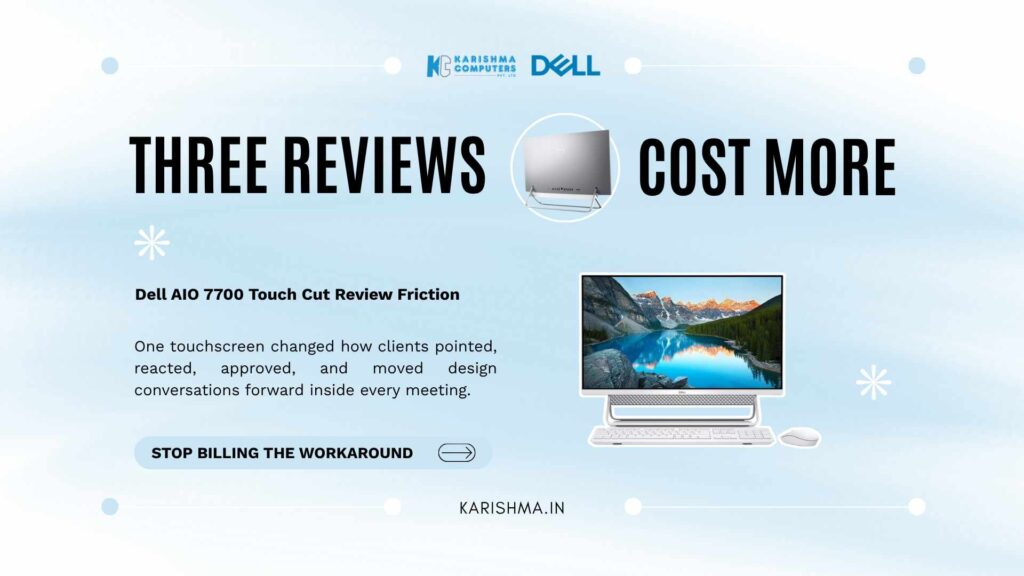
Design Studios Blame Staff, But the Dell AIO 7700 Touch Was the Real Fix
Dell AIO 7700 Touch conversations rarely start with hardware. They usually start with a training budget line item that nobody in Vasant Kunj could fully explain.
A mid-sized interior design studio in Vasant Kunj ran into a pattern last year. Client sign-offs on floor plans and mood boards were taking three review cycles instead of one. The studio’s founders read this as a communication gap. Account managers, they decided, were not briefing clients clearly enough during walkthroughs, so the studio enrolled its client-facing team in a communication workshop built around active listening and structured feedback loops.
Two months later, the sign-off timeline had not moved. The account managers returned with sharper vocabulary and the exact same three-cycle review pattern.
That is when someone finally looked at the equipment instead of the people.
The studio ran its walkthroughs on a laptop tethered to a separate monitor, with a mouse cursor standing in for a finger. When a client wanted to point at a wall panel or ask whether a cabinet could shift six inches left, the account manager had to describe the change verbally, note it down, and circle back after the meeting with a revised file. Every walkthrough produced a list of half-confirmed requests that needed a follow-up call. That follow-up call produced another list of its own. Three cycles was the norm, not the exception.
The Real Reason the Touch Display Keeps Coming Up in Vasant Kunj Studios
This is where the all-in-one touchscreen entered the conversation, not as an upgrade request but as a diagnosis. Design studios across Vasant Kunj, Saket, and DLF Cyber Hub increasingly run client reviews on a machine that lets someone touch the floor plan directly. The 27-inch touch display on the Dell AIO 7700 Touch turns a design review from a narrated slideshow into something closer to marking up a physical blueprint. A client can tap a wall, drag a furniture placement, or annotate a mood board mid-conversation, and the design team watches the change land in real time instead of translating it from a spoken description.
The all-in-one form factor matters here in a way that is easy to underestimate. A traditional tower with a separate monitor adds a layer of physical friction: cables running to a mouse, a keyboard tray at the wrong height, a webcam balanced on top of a screen that was never built to host client calls. None of that friction shows up on a spec sheet. It shows up in how long a meeting takes to reach a decision.
With the processor built into the display housing, the touchscreen desktop reduces the studio’s workstation to one footprint on the table. Cyber Hub firms that switched over reported fewer client calls asking to resend a file, and fewer internal chat threads spent clarifying what a client actually meant during a walkthrough.
What the Dell AIO 7700 Touch Actually Changed in the Review Process
The narrow-border 27-inch screen gives client-facing teams room to hold a floor plan, a materials palette, and a notes panel open at once, without the constant window-switching that used to interrupt a live conversation. Reviews that once needed a follow-up email now close inside the same meeting, because the client sees the edit happen instead of waiting for a revised file the next morning.
This was never a story about the studio’s people being slow. The account managers were doing their jobs correctly, with a tool that made every clarification harder than it needed to be.
The Invisible Invoice Nobody Was Tracking
Here is the part that rarely makes it into a procurement conversation. The studio never logged slow sign-offs as an equipment cost. It showed up instead as overtime hours inside the client servicing budget, the line item that pays account managers for evening calls clarifying what a client meant three days earlier. Six months of that overtime, weighed against the actual cost of moving two workstations to a Dell AIO 7700 Touch setup, made the equipment decision look almost obvious in hindsight. Nobody had connected the two line items because they sat in different parts of the same budget spreadsheet.
That pattern is worth noticing on its own. A hardware constraint rarely announces itself as one. It gets absorbed somewhere else first, usually in a cost category that looks like a people problem: overtime, training spend, turnover in client-facing roles. By the time someone traces the actual cause, the business has typically paid for the problem twice, once through the workaround, once through the eventual fix.
Delhi NCR studios working out of shared spaces in Aerocity or compact offices in Noida Sector 62 face a second version of the same constraint: desk space itself. A tower, a separate monitor, a keyboard, and a mouse take up more table surface than most shared workspaces can offer during a client walkthrough. An all-in-one touchscreen collapses that footprint into something that fits on a standard conference table without pushing coffee cups to the floor.
Where an All-In-One Touchscreen Fits and Where It Doesn’t
None of this means every desk in a firm needs a touch display. A back-office accounts team running spreadsheets all day has little use for one. The value shows up specifically where a screen doubles as a shared decision-making surface: client-facing rooms, presentation corners, and reception desks across Delhi NCR firms running frequent walkthroughs, whether that is a design studio in Vasant Kunj, a real estate sales office in Gurgaon, or a clinic front desk in Faridabad handling patient check-ins.
The pattern extends past design studios. Any business where a screen needs to function as a shared surface, rather than a private input device, runs into the same friction a mouse-and-monitor setup creates. Sales teams walking through product configurations, architecture firms presenting renderings, even HR teams onboarding new hires with interactive forms, hit the same wall a Dell AIO 7700 Touch was built to remove: decisions confirmed verbally take longer than decisions confirmed by touch.
What Moving to a Dell AIO 7700 Touch Setup Actually Involves
The switch is less disruptive than most IT decisions in a Delhi NCR office. It ships with a wireless keyboard and mouse, so the desk clears out immediately, and setup at a client-facing desk in an Okhla or Nehru Place office typically takes an afternoon rather than a weekend project. Studios that hesitated usually assumed a touchscreen desktop meant retraining staff on new software. It does not. The interface stays identical; only the input method changes, from a cursor click to a direct tap on the wall panel or fabric swatch under discussion.
For firms comparing a Dell all-in-one desktop India-wide against a custom tower-and-monitor build, the calculation comes down to what a clutter-free workspace setup is worth during a paying client’s visit. A cramped desk with visible cables reads as a smaller operation than it is. A single touchscreen desktop for design studios reads as intentional, and clients notice the difference even when they cannot name what changed.
Firms weighing a Dell Inspiron AIO Delhi NCR purchase against a traditional desktop refresh often default to the familiar route because it looks safer. It rarely is the cheaper one once the invisible invoice gets added up. An all-in-one PC for client presentations, and a Dell AIO 7700 Touch specifically, earns back its cost the first month it removes even one repeat review cycle, because that cycle was never free. It was just being billed to the wrong department.
Businesses tend to diagnose slowness as a people problem first, because retraining a team feels like a faster, cheaper fix than replacing equipment. It rarely is. The training budget gets spent, the team picks up skills it did not need, and the actual bottleneck, sitting quietly in the hardware, keeps producing the same delay it always did. The fix in Vasant Kunj was never about teaching people to explain things better. It was about giving them a Dell AIO 7700 Touch screen the client could point at.
For a studio that spent two months teaching its team to communicate more clearly, the answer turned out to sit on the desk the entire time.
FAQs
-
1. What makes the Dell AIO 7700 Touch different from a regular desktop with a monitor?
The Dell AIO 7700 Touch integrates the processor into the display housing, so there is no separate tower, and the 27-inch screen supports direct touch input. This removes cable clutter and lets client-facing teams interact with content by tapping instead of clicking through a mouse.
-
2. Is the Dell AIO 7700 Touch suitable for client presentation rooms in Delhi NCR offices?
Yes. Businesses running frequent client walkthroughs, including design studios, real estate sales offices, and reception desks across Delhi NCR, use the touch display to let clients mark up plans, renderings, or forms directly during a meeting instead of relaying changes verbally.
-
3. Does switching to a Dell AIO 7700 Touch require retraining staff on new software?
No. The operating system and business applications remain the same. The only change is the input method, from mouse clicks to direct touch, which most staff adapt to within the first few uses.
-
4. How much desk space does the Dell AIO 7700 Touch save compared to a tower and monitor setup?
Since the processor sits inside the display, the workstation reduces to a single footprint on the desk, with a wireless keyboard and mouse included. This matters particularly in shared or compact offices across Delhi NCR where desk space is limited.
-
5. What size screen does the Dell AIO 7700 Touch come with?
The Dell AIO 7700 Touch features a 27-inch narrow-border touch display, large enough to hold multiple windows, such as a floor plan, a materials palette, and a notes panel, open at the same time without constant switching.
-
6. Who should consider the Dell AIO 7700 Touch over a standard desktop?
Businesses where a screen functions as a shared decision-making surface, rather than a private input device, see the clearest benefit. This includes client-facing desks, sales presentation corners, reception and check-in points, and any role involving frequent live walkthroughs with customers or clients.